
Prices and plans change often, so confirm on each tool’s official pricing page before you subscribe.
A year ago, “AI tools for creators” mostly meant a chatbot and an image generator. In 2026 the toolbox is bigger, and it is also less stable. Some tools got dramatically better. At least one headline product vanished: OpenAI’s Sora video app shut down in April 2026, and its API followed in September. Prices moved, free tiers shrank and new tools appeared. That makes any list written even a few months ago unreliable.
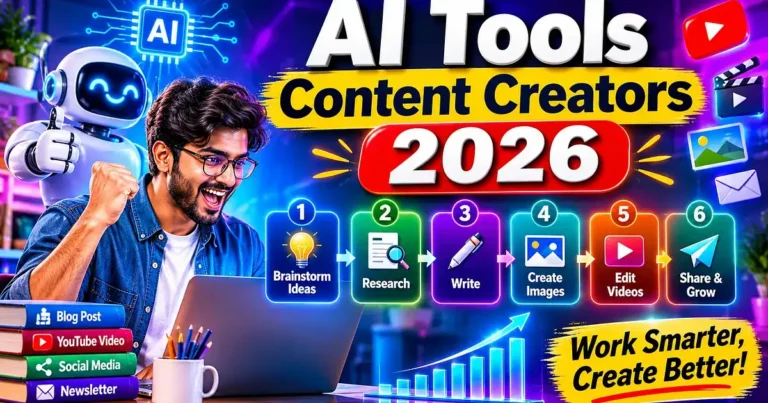
This guide is built for the way creators actually work. Instead of ranking everything on one scale, it sorts the best AI tools by the job you need done: writing, research, images, video, voice, repurposing and publishing. You will also find sample tool stacks for different budgets and a short section on using AI without damaging your credibility.
The Best AI Tools for Content Creators at a Glance
| Job | Top pick | Also consider | Typical starting price* | Free plan |
|---|---|---|---|---|
| Ideas and first drafts | ChatGPT | Claude, Gemini | About $20/month | Yes |
| Long-form writing and editing | Claude | ChatGPT | About $20/month | Yes |
| Research | Perplexity | Gemini | Free tier available | Yes |
| Design and thumbnails | Canva | Adobe Firefly | Pro about $120–$144/year | Yes |
| Artistic images | Midjourney | Nano Banana (Gemini) | From about $10/month | No |
| Images with readable text | Nano Banana (Gemini) | ChatGPT Images | Free tier / about $20/month | Yes |
| Editing video and podcasts | Descript | CapCut | About $16/month (annual) | Yes |
| Generating video clips | Runway, Google Veo | Kling | About $7–$20/month | Limited |
| Short clips from long videos | Opus Clip | Captions | About $15/month | Yes |
| Voiceovers and dubbing | ElevenLabs | Murf | From about $6/month | Yes |
| Scheduling and social | Buffer, Later | Notion AI | Varies | Varies |
*Prices are approximate entry-level figures from recent reviews and vendor pages as of late 2026. They differ by region, billing cycle and plan.
How This List Was Put Together
A tool made the list only if it met four tests:
- It solves a specific creator job rather than just advertising “AI.”
- It is still actively available and maintained as of November 2026.
- It has a realistic entry point, meaning a free plan or an affordable first tier.
- Its limits are known. Every tool below comes with an honest weakness.
Where reviewers disagreed, as they often did on prices and version names, this guide uses general wording instead of pretending to be precise.
AI Writing and Ideation Tools
ChatGPT: Best All-Round Assistant for Ideas and Drafts
ChatGPT remains one of the most versatile tools for brainstorming, outlining, rewriting and quick image generation in a single place. Custom GPTs let you load your tone, examples and FAQs, which helps keep a consistent brand voice across a team.
- Best for: idea generation, scripts, captions, repurposing text
- Price: free plan; paid plans from about $20/month
- Watch out for: confident-sounding factual mistakes, so verify names, numbers and dates
Claude: Best for Long-Form Drafts and Editing
Claude is widely praised for handling long documents, keeping track of detail and producing structured, natural-sounding prose. Reviewers often recommend it for long blog posts, editing passes and research-heavy writing. (Claude is made by Anthropic, and it is included here on the same criteria as every other tool.)
- Best for: long-form articles, editing, summarizing documents
- Price: free plan; paid plans around $20/month
- Watch out for: usage limits on free plans and the same need for fact-checking
Google Gemini: Best If You Live in Google’s Ecosystem
Gemini connects with Google’s apps and search and handles text, research and media generation under one account. Its image models, nicknamed Nano Banana, are among the strongest for photo edits and text inside images. If you already work in Docs, Drive and Gmail, the integration saves time.
- Best for: research, brainstorming, image creation, Google Workspace users
- Price: free plan; Google AI Pro around $20/month, depending on region
- Watch out for: the best creative features can sit behind higher paid tiers
Grammarly: Best for a Final Polish
Grammarly is not a draft generator, but it is still a reliable last step for tone, clarity and grammar before publishing.
- Best for: polishing finished drafts, emails and captions
- Price: free plan; paid from about $12/month
AI Research and SEO Tools
Perplexity: Best for Fast, Sourced Research
Perplexity answers questions with linked sources, which makes it useful for background research and fact-finding at the start of a project. Always open the sources yourself. A cited answer can still be wrong or outdated.
- Best for: quick research, topic discovery, source hunting
- Price: free tier available
Surfer SEO: Best for On-Page Optimization
Surfer scores your content against top-ranking pages and suggests terms and structure. It suits bloggers and teams who publish for search traffic. Entry pricing is reported at roughly $79–$99/month, depending on the plan and billing.
- Best for: SEO writers and content teams
- Watch out for: it optimizes for patterns, not for original insight, so use it as a checklist, not an author
AI Design and Image Tools
Canva: Best for Fast, On-Brand Design
Canva has grown from a template editor into an AI-powered platform covering design, images, copy and simple video. For thumbnails, social posts and carousels, it is hard to beat for speed and ease.
- Best for: thumbnails, social graphics, presentations, brand kits
- Price: free plan; Pro roughly $120–$144 per year
- Watch out for: AI features are limited on the free tier
Midjourney: Best for Artistic, Editorial-Style Images
Midjourney still leads for stylized, high-aesthetic visuals such as concept art, covers and mood boards. It has no free plan, with paid plans starting around $10/month.
Nano Banana in Gemini: Best Free Starting Point and Text-in-Image
Google’s Nano Banana models are strong for conversational photo edits, consistent characters and readable text in posters and infographics. A free tier with daily limits makes it an easy place to start.
ChatGPT Images: Best for Convenience and Precise Edits
Image generation built into ChatGPT is handy when you want to write, brainstorm and create visuals in one chat. It handles instruction-following and text well.
Adobe Firefly: Best for Commercially Cautious Work
Firefly is aimed at creators who want a tool closely tied to the Adobe ecosystem and designed with commercial use in mind. Entry pricing is reported at around $10/month.
Quick tip for thumbnails: many creators generate a base image in Midjourney or Nano Banana, then finish the text and layout in Canva.
AI Video Tools
Descript: Best for Editing Video and Podcasts Like a Document
Descript turns your recording into a transcript, so you edit video by editing text. It also removes filler words and cleans up sound. It is a standout for interviews, podcasts and talking-head content.
- Price: free plan; paid from about $16/month on annual billing (about $24 monthly)
CapCut: Best Free Option for Short-Form Video
CapCut is a go-to for TikTok- and Reels-style editing, with a generous free tier and a growing set of AI features such as captions and effects.
Opus Clip: Best for Turning Long Videos into Shorts
Opus Clip finds the most clip-worthy moments in long recordings and turns them into vertical shorts, scoring each for likely engagement. A free plan exists; paid plans start around $15/month.
Captions: Best for Talking-Head and Digital-Twin Video
Captions focuses on AI captions, editing and AI avatars, with a free tier and a Pro plan around $10/month. Its most advanced generative features sit on higher tiers.
Runway, Google Veo and Kling: Best for Generating Video Clips
Text-to-video has matured, but it is still a premium, credit-based product.
| Tool | Strength | Typical entry price |
|---|---|---|
| Google Veo (via Flow and Google AI plans) | Video with native audio, strong prompt-following | Bundled with Google AI plans |
| Runway | Editing-oriented workflow and control | Around $12–$15/month |
| Kling | Value, character consistency and multi-shot clips | Around $7–$10/month |
Important update: If you read older “best AI video generator” lists that include OpenAI’s Sora, note that the Sora web app and mobile app were shut down on April 26, 2026, and the Sora API was switched off on September 24, 2026. It is no longer an option.
Clip generation uses credits quickly, especially at high resolution, so test short clips before committing to a paid tier.
AI Voice and Audio Tools
ElevenLabs: Best for Voiceovers and Dubbing
ElevenLabs is consistently rated among the most natural-sounding AI voice platforms, with voice cloning and multilingual dubbing. A free plan exists, and paid plans start around $6/month.
Use it responsibly: only clone voices you own or have permission to use.
Murf: Best for Structured Narration
Murf suits creators who want a studio-style voiceover workflow for explainers, courses and videos.
AI Tools for Planning, Repurposing and Publishing
Buffer’s AI Assistant: Best for Repurposing Posts
Buffer helps you draft and adapt posts for different platforms and schedule them in one place.
Later: Best for Visual Planning
Later offers a clean visual calendar and grid preview for Instagram and TikTok. It has no free tier, with plans starting around $25/month.
Notion AI: Best for Turning Your Archive into a Content Engine
If your notes, drafts and ideas live in Notion, its AI can summarize, search and rework that material.
Jasper: Best for Brand-Heavy Marketing Teams
Jasper is aimed at marketing teams that need brand context across a lot of copy. Reported entry pricing is around $59/month on annual billing, so it makes most sense for teams rather than solo creators.
Sample AI Stacks by Creator Type
The Free Starter Stack
- Write and ideate: ChatGPT, Claude or Gemini free plans
- Research: Perplexity free tier
- Design: Canva free plan
- Images: Nano Banana in Gemini (free tier)
- Video: CapCut free tier
The Solo Creator Stack (roughly $40–$60 a month)
- One paid assistant (ChatGPT, Claude or Gemini)
- Canva Pro
- Descript or Opus Clip
- ElevenLabs entry plan
The Small Team Stack
- Paid assistants for the writers
- Canva team plan or Adobe Firefly
- Descript for editing and Opus Clip for repurposing
- Surfer SEO or Jasper for content operations
- Buffer or Later for scheduling
How to Use AI Without Hurting Your Credibility
- Fact-check everything. AI tools can state wrong details with confidence. Verify names, dates, statistics and quotes.
- Add your own experience. Original opinions, data and stories are what AI cannot supply.
- Respect copyright and likeness. Do not imitate living artists’ styles in ways that cause confusion, and never clone voices or faces without permission.
- Follow platform rules on AI disclosure. Major platforms have been adding labeling requirements for AI-generated or altered media. Check the current policy of each platform you publish on.
- Do not automate blindly. Use AI to speed up your workflow, then review before you publish.
- Back up your work. The Sora shutdown showed that even big products can disappear with only weeks of notice. Export and save your assets regularly.
Conclusion
There is no single best AI tool for content creators in 2026, only the best tool for each job. Start with one assistant for words, one design tool and one tool for your main format, whether that is video, audio or social posts. Master those before adding more. Because pricing and products are changing so quickly, build workflows that can survive a tool disappearing, and treat free trials as a cheap way to test before you commit. The creators who benefit most are the ones who use AI to remove busywork while keeping their own voice, judgment and standards.
Frequently Asked Questions
What are the best AI tools for content creators in 2026?
There is no single best tool, because creators need different jobs done. Strong picks by job include ChatGPT, Claude and Gemini for writing and ideas, Perplexity for research, Canva for design, Midjourney and Nano Banana for images, Descript and CapCut for video editing, Opus Clip for repurposing, and ElevenLabs for voice.
What is the best AI tool for writing blog posts?
ChatGPT and Claude are the most commonly recommended assistants for blog drafts. Reviewers often single out Claude for long-form writing and editing, and ChatGPT for brainstorming and versatility. Whichever you use, fact-check the draft and add your own experience before publishing.
Which AI tool is best for brainstorming content ideas?
ChatGPT is a popular choice for brainstorming, especially with custom GPTs trained on your tone and past content. Gemini and Claude are also strong for developing and testing ideas. Many creators use two assistants and compare their suggestions.
What is the best free AI stack for content creators?
A workable free stack is a free assistant (ChatGPT, Claude or Gemini), Perplexity for research, Canva’s free plan for design, Nano Banana in Gemini for images and CapCut for short-form video. Free plans come with usage limits, but they are enough to start and test your workflow.
How much do AI tools for content creators cost?
Many tools have free plans, and most paid entry plans cost roughly $6 to $20 per month. Examples include ElevenLabs from about $6, Midjourney from about $10, Opus Clip from about $15, Descript from about $16 on annual billing, and ChatGPT, Claude and Gemini around $20. Prices change often and vary by region, so check each official pricing page.
Which AI tool is best for long-form content?
Claude is widely praised for handling long documents, keeping track of detail and producing structured prose, which suits articles, reports and editing passes. ChatGPT is also capable and more versatile across tasks. Pairing either with a human edit gives the best results.
What is the best AI tool for research?
Perplexity is popular for quick, sourced research because it links to its sources. Gemini is also useful, especially if you work in Google’s ecosystem. Always open the sources yourself, since a cited answer can still be wrong or out of date.
Can AI tools help with SEO?
Yes. Tools such as Surfer SEO score your content against top-ranking pages and suggest terms and structure. They work best as a checklist rather than an author, because they optimize for patterns and cannot supply original insight.
What is the best AI tool for design and thumbnails?
Canva is the most common pick for fast, on-brand thumbnails, social graphics and carousels. Many creators generate a base image in Midjourney or Nano Banana and finish the text and layout in Canva. Adobe Firefly is a good option for Adobe-based workflows.
Which AI image generator is best in 2026?
It depends on the job. Midjourney is known for artistic, editorial-style images, Nano Banana in Gemini is strong for photo edits and readable text, and ChatGPT’s image generation is convenient and accurate with instructions. Free tiers of Nano Banana make it an easy place to start.
Which AI image tool is best for text inside images?
Nano Banana models in Gemini and ChatGPT’s image generation are widely recommended for readable text in posters, infographics and social graphics. Ideogram is another option often named for text rendering. Always check the spelling of generated text before publishing.
What is the best AI tool for editing video?
Descript lets you edit video by editing a transcript, removes filler words and cleans up audio, which suits interviews, podcasts and talking-head videos. CapCut is a popular free option for short-form videos for TikTok and Reels.
What is the best AI tool for turning long videos into short clips?
Opus Clip finds clip-worthy moments in long recordings and turns them into vertical shorts, scoring them for likely engagement. Captions is another option. A free plan exists for Opus Clip, with paid plans from about $15 per month.
Which AI video generators are worth using in 2026?
Google Veo (through Flow and Google AI plans), Runway and Kling are the main options. Veo is noted for native audio, Runway for an editing-oriented workflow, and Kling for value and character consistency. They are credit-based, so test short clips before paying for a larger plan.
Is Sora still available?
No. OpenAI announced the end of Sora on March 24, 2026. The Sora app and website shut down on April 26, 2026, and the Sora API was switched off on September 24, 2026. Older articles that still list Sora are out of date.
What is the best AI tool for voiceovers?
ElevenLabs is consistently rated among the most natural-sounding AI voice platforms, with multilingual dubbing and voice cloning. It has a free plan and paid plans from about $6 per month. Murf is another option for studio-style narration.
Is it legal to clone a voice with AI?
Rules vary by country, and this is not legal advice. As a safe practice, clone only voices you own or have clear permission to use, and read each tool’s terms. Using someone’s voice or likeness without consent can cause legal and ethical problems.
What is the best AI tool for scheduling and publishing social content?
Buffer’s AI assistant helps draft and adapt posts for different platforms and schedule them. Later offers a visual calendar and grid preview for Instagram and TikTok, with plans from about $25 per month. Notion AI can help if your ideas and drafts already live in Notion.
Which AI tools are best for podcasters?
Descript is a standout for editing a podcast by editing its transcript, and ElevenLabs can add voiceovers or dubbing. Opus Clip can turn episodes into short promotional clips. Together they cover editing, voice and promotion.
Which AI tools are best for YouTubers?
A typical stack includes an assistant for scripts and ideas, Canva with Midjourney or Nano Banana for thumbnails, Descript for editing, Opus Clip for Shorts and ElevenLabs for narration if needed. The exact mix depends on your format and budget.
Which AI tools are best for social media creators?
For social content, creators often combine an assistant for captions and ideas, Canva for graphics, CapCut or Captions for short video, and Buffer or Later for scheduling. Opus Clip helps repurpose long videos into shorts.
Should I use more than one AI writing assistant?
Many creators do. Different assistants have different strengths, so one might be better for brainstorming and another for long-form drafts or editing. You do not need all of them, and one paid plan plus free tiers of others is a sensible start.
Do I need to disclose that content is made with AI?
Platform rules differ and are changing. Major platforms have been adding labeling requirements for AI-generated or altered media, especially realistic images, video and audio. Check the current policy of each platform you publish on, and consider being transparent with your audience.
Is AI-generated content safe for SEO?
Search engines focus on whether content is helpful and original, not simply on whether a tool was involved. Unedited, generic AI output is unlikely to stand out. Fact-check, add your own experience and data, and edit for quality before publishing.
Can I use AI-generated images commercially?
It depends on the tool and its license, and you should read the terms for your plan. Some tools, such as Adobe Firefly, are positioned for commercially cautious work, while others have different rules by tier. Avoid imitating specific living artists or using protected characters and logos.
How can I avoid AI mistakes and made-up facts?
Verify names, dates, statistics and quotes against reliable sources before publishing. Ask the tool for sources and open them yourself, because cited answers can still be wrong. Add a human review step to every piece.
Will AI replace content creators?
AI is automating routine tasks such as first drafts, editing and clip selection, but it cannot supply your lived experience, opinions, relationships with an audience or judgment. Creators who use AI to remove busywork while keeping their own voice are best placed to benefit.
How should I choose an AI tool for my workflow?
Start with the job that costs you the most time, then test two or three tools on a real project using free plans or trials. Check pricing, output quality, export options and usage limits. Pick the simplest tool that fits, and avoid paying for overlapping subscriptions.
What happens if an AI tool shuts down or changes its pricing?
It can happen quickly. OpenAI shut down Sora with only weeks of notice for consumers in 2026, and several tools have changed free tiers and prices during the year. Export and back up your assets regularly and avoid building your whole workflow around a single product.








Your comment will appear immediately after submission.