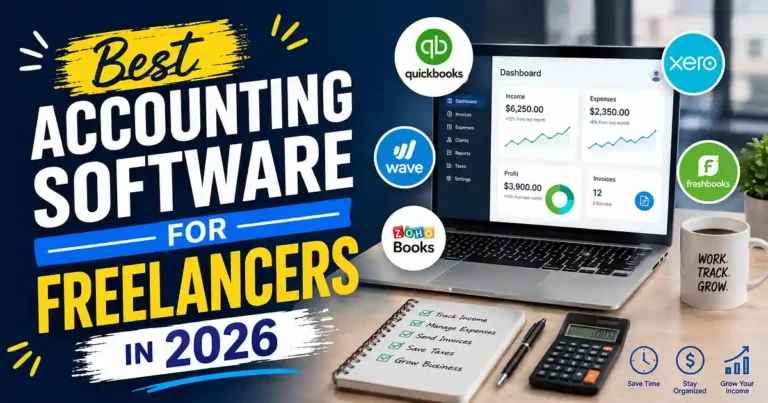
A freelancer can work with three clients, have five invoices to generate, and a surprisingly disorganized spreadsheet. One of the invoices is overdue, a software license is forgotten, and then comes tax time, with mountains of receipts and an unclear idea of how much money has been earned.
And that is where the Best Accounting Software for Freelancers becomes helpful. The right solution will assist with invoicing clients, entering expenses, reconciling accounts, measuring profit and losses, and organizing finances without becoming a second occupation.
The key is to find software that suits your business processes. A freelance writer generating ten invoices per month will not need the same solution as a consultant working with retainers, projects, contractors, and foreign currencies.
Table of Contents
- What Should Freelancers Look for in Accounting Software?
- Best Accounting Software for Freelancers in 2026
- FreshBooks: Best for Invoicing and Time Tracking
- Wave: Best Free Option for Simple Freelance Work
- QuickBooks: Best for Tax and Broader Accounting Needs
- Zoho Books: Best Value for Indian Freelancers
- Xero: Best for Freelancers Planning to Grow
- How to Choose the Right Accounting Software
- Common Accounting Mistakes Freelancers Make
- Practical Tips for Managing Freelance Finances
- Frequently Asked Questions
- Conclusion
What Should Freelancers Look for in Accounting Software?
Before you start looking at specific software platforms, ask yourself what you actually need from the software.
The basic needs for most freelancers are not very complicated:
• Issue professional invoices
• Supervise income and expenditures
• Synchronize bank transactions
• Issue receipts
• Monitor pending invoices
• Make financial statements
• Track hours spent where appropriate
• Keep track of all necessary documentation for filing taxes
• Work well with other business-related applications
• Be easy to work with for the accountant
Also think about how your business works.
The hourly designer will be interested in time tracking more than the blogger offering their services for fixed price. An entrepreneur working with foreign clients will have other demands than the Indian freelancer with GST invoicing needs.
So the best accounting software will not be the one with the longest list of features. It will be the one solving your bookkeeping problems without unnecessary complications.
Best Accounting Software for Freelancers in 2026
Several platforms stand out for different types of independent workers.
| Software | Best For | Main Strength |
| FreshBooks | Service freelancers | Invoicing and time tracking |
| Wave | Beginners | Simple, low-cost accounting |
| QuickBooks | Tax and accounting needs | Broad accounting ecosystem |
| Zoho Books | Indian freelancers | GST and value |
| Xero | Growing freelancers | Scalability and integrations |
These recommendations are based on the typical needs of solo professionals rather than simply choosing the software with the most features.
FreshBooks: Best for Invoicing and Time Tracking
FreshBooks is a good fit for those who invoice their clients for their time or have multiple projects going on.
The way it works will appeal to people like writers, designers, developers, consultants, photographers, and marketers. Rather than separating billing from your work, tracking time, expenses, and invoices all come together.
This might be helpful if you work on many projects for different clients at once.
Why freelancers might like FreshBooks
• Professional invoicing
• Timing tracking
• Managing expenses
• Payment reminders
• Client-focused functionality
• Project management tools
• Finances reports
If efficient payments are one of the key factors that you need to worry about, then FreshBooks will suit you perfectly.
The only problem here is that freelancers with very simple accounting requirements might not want to spend money on the features that they do not use.
Best for: Freelancers who frequently invoice clients and keep track of hours in projects.
Wave: Best Free Option for Simple Freelance Work
If you’re a new freelancer who wants to dodge monthly subscriptions altogether, then Wave might work well for you as a good starting point.
Its features revolve around basic accounting needs, like income and expense management, as well as invoice creation. This would suit you if you have only a few customers and do not need complex project accounting features.
An illustration of such a situation is a freelance writer with several clients providing a monthly income. In case there is no necessity in anything but sending invoices and keeping simple financial data, then using a simple platform would suffice.
What is important is that just because some software is available for free doesn’t mean it’s the best one for you.
Best for: Beginners and freelancers with fairly simple financials.
QuickBooks: Best for Tax and Broader Accounting Needs
One of the popular accounting solutions for freelancers is QuickBooks, and the whole accounting system provided by this brand may suit you if your requirements are expected to become more complicated over time.
It is useful if you need something more than invoice and expense management.
Some of the features that QuickBooks can provide are:
• Monitoring of income and expenses
• Invoicing
• Generating reports
• Banking transactions management
• Tax management
• Working with accountants
• Business integration
Let’s take a freelance developer who starts with two clients, gets subcontractors, gets projects on regular basis, incurs significant expenses, and has several sources of income. In such a situation, a more sophisticated accounting solution is required.
But everything has its price, and in case if you have a few customers to invoice monthly, a complex accounting solution is unnecessary.
Best for: Freelancers who require a more sophisticated accounting solution.
Zoho Books: Best Value for Indian Freelancers
Zoho Books is especially worth considering for freelancers in India because the Indian edition of the program comes with features that are tailored specifically to the local accounting and GST needs.
Zoho currently has a free plan available for qualified Indian solopreneurs and micro businesses, offering such features as invoices, expenses, bank reconciliation, GST report creation, and financial reports. The paid plans come with additional features, which include support for additional users, ability to see the profitability of your projects, timesheets, multi-currency transactions, and advanced workflows.
The free plan has eligibility requirements that need to be met, which includes having a certain level of annual revenue, so it is important to make sure whether you qualify now.
Why choose Zoho Books?
While there is nothing wrong with choosing a popular platform from another country, it makes more sense to have accounting, invoicing, GST reporting, and affordable plans if you are a freelancer from India.
In case you have clients from other countries, consider the fact that higher plans support multi-currencies.
Best for: Indian freelancers, consultants, and small online businesses.
Xero: Best for Freelancers Planning to Grow
Another solution that would be appropriate for freelancers, who will eventually move towards a more extensive business model, is Xero.
Its benefits come into play once you start to work with accountants, implement business systems, or integrate several applications.
A freelancer who is planning on transitioning from independent business operations to a small agency might prefer software that would develop alongside the business instead of having to migrate everything at a later point.
But scalability does not mean necessity. If you have just a couple of invoices and limited expenses per month, you probably don’t need an advanced accounting system right now.
Best for: Freelancers whose operations are expected to grow in complexity.
How to Choose the Right Accounting Software
Forget about which software is seen as the best, and think about which software suits you.
Answer the following five questions:
1.How many invoices do you produce?
If you generate only a few invoices, then make sure the software you use is easy to use and affordable. If you handle hundreds of invoices, the software that will help you automate reminders and payments tracking will be your perfect choice.
2. Do you get paid by the hour?
If yes, then make sure the software is able to track your time. For example, the independent consultant who earns $50 per hour would better use a software that will allow him to add 12 hours of work to his invoice in an easy way, not manually in Excel.
3. Are you working internationally?
Freelancers who work internationally must look into:
• Support for multi-currencies
• Capabilities of handling exchange rates
• Integration of international payments
• History of foreign transactions
• Tax documentation
It is wrong to assume that all accounting programs do it the exact same way when dealing with foreign currency and international income.
4. What are your tax needs?
Location plays a role.
For example, an Indian freelancer may require GST functionalities, and a freelancer in another country may have completely different requirements.
An accounting program will help keep track of your records, but it cannot replace professional tax advice in case things become complicated.
5. Is there potential for growth?
Think of what your freelance career might be in the future.
Are you planning to hire contractors, take up several projects, manufacture goods or create an agency?
Common Accounting Mistakes Freelancers Make
Good accounting software cannot save you from bad financial practices.
Personal and business expenses
Having all funds deposited into one account complicates bookkeeping and may obscure true business results.
Where possible, separate the two.
Procrastination until tax time
Recording everything at the end of the year ensures that you miss out on expenses and forget invoices.
Take the time each week to review your transaction history.
Overlooking little expenses
Cloud storage services, design tools, domain renewals, advertising costs, software subscriptions, equipment, and many other small expenses matter.
Set up a system of recording such expenses as soon as they are made.
Not tracking outstanding invoices
The revenue generated by the invoice does not equate to cash received.
Keep track of unpaid invoices and know who owes you money.
Picking the cheapest software
Free is always appealing but the least costly option will be expensive if it means hours of manual labor every month.
Factor in the cost of your own time and not just of the subscription.
Practical Tips for Managing Freelance Finances
Once your accounting software is set up, create a simple routine.
Every week:
- Categorize new transactions
- Record business expenses
- Check unpaid invoices
- Save receipts
- Review your bank balance
Every month:
- Reconcile your accounts
- Review income and expenses
- Check profit
- Look for unusual spending
- Set aside money for taxes
- Review upcoming bills and subscriptions
You can also create separate categories for recurring costs such as software, advertising, internet, equipment, professional services, and education.
This makes your reports more useful because you can see where your money is actually going.
Example of a simple freelance work
Consider that a freelance content writer earns ₹80,000 within a month.
Their business expenditure may consist of the following:
• ₹5,000 as software costs
• ₹3,000 as internet and communication costs
• ₹4,000 as advertising costs
• ₹2,000 as other business expenditures
By not focusing solely on the amount of ₹80,000 earned, accounting software allows the freelancer to understand the connection between the income, expenditure, and profit.
Frequently Asked Questions
1. What is the best accounting software for freelancers?
No software like that exists, since each software suits some people better than others. Freshbooks is an ideal solution to create invoices and track time spent, Wave is great for beginners looking for easy-to-use and cheap software, QuickBooks provides full accounting solutions, Zoho books are great for Indian freelancers, and Xero is suitable for growing businesses.
2. Can freelancers use free accounting software?
Yes, but it will work perfectly fine when you have only a few customers and expenses.
3. Do the freelancers need any accountancy software at all?
All the freelancers do not necessarily require sophisticated accountancy software. But when there come repeat customers, varied expenses, taxes, and even rising earnings, then it would save a lot of time and eliminate possible mistakes while making accounts.
4. Which accountancy software is the best for Indian freelancers?
Among the best choices is Zoho Books as it has GST facilities along with various other facilities beneficial for local businesses.
5. Could it be the case that the software would substitute the accountant?
Normally, no. Accountancy software would help to make the process automated as well as provide useful reports; nevertheless, the assistance of an accountant/tax specialist might still be needed.
Conclusion
The Best Accounting Software for Freelancers is not necessarily the best feature-packed or most affordable platform. The Best Accounting Software for Freelancers is the one that fits you best in terms of how you make money, invoice clients, track expenses and operate in general.
For example, if you have major concerns about invoicing and time tracking, then FreshBooks must be taken into account. If it is simply basic accounting with an extremely tight budget that you are worried about, then Wave will be your starting point. More advanced accounting features will be best met with QuickBooks, while Xero will appeal to those freelancers who expect their businesses to grow in the future.
Zoho Books will be perfect for Indian freelancers since this application has accounting, invoicing and GST features in combination with its free plan.
It all begins with understanding your actual problems. If you have no problem with anything in your spreadsheets right now, then there is no need for the most expensive accounting software in the world tomorrow. But in case of forgotten invoices, missed expenses and stressful tax season – it will be a wise decision to invest in accounting software.











Your comment will appear immediately after submission.