Introduction
You sit down to solve just one problem on hand, but you are preparing to make your dinner after spending two hours of understanding what was wrong with one line of code. This situation could be attested by many programmers.
But this frustration has resulted in the invention of one of the most disruptive technologies in the area of software development known as The Best AI Coding Assistants. Thanks to artificial intelligence, many things can be done in just a few seconds such as interpretation of one line of code, suggestions of how to change it, testing, debugging, and automation of processes.
All coding assistants are not equal in capabilities; while some do code completion well, others are good at debugging, understanding the codebase, or creating documents. The choice of coding assistant may lead you into confusion if wrong.
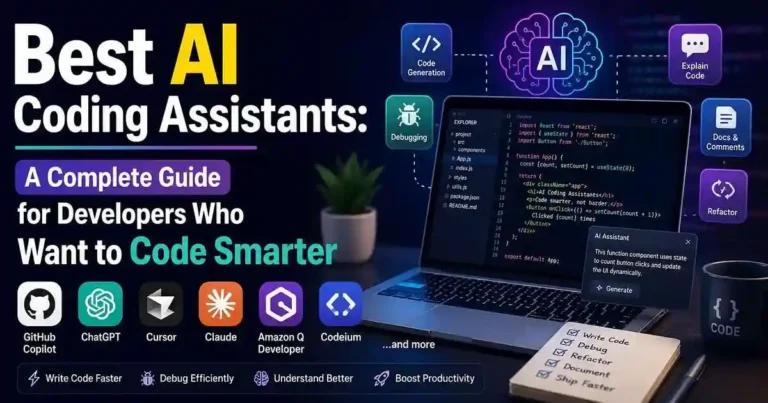
Here are some of the best AI coding assistants that I have researched along with their strengths and weaknesses.
Table of Contents
- What Are AI Coding Assistants?
- Why Developers Are Using AI
- Best AI Coding Assistants Compared
- How to Choose the Right AI Assistant
- Practical Examples
- Actionable Tips
- Common Mistakes to Avoid
- Frequently Asked Questions
- Conclusion
What Are AI Coding Assistants?
AI coding assistants are software programs that use large language models and machine learning techniques to aid software developers with writing, comprehending, debugging, and improving their code.
The different platforms may be used for:
• Coding using simple English instructions.
• Suggesting next lines of code while coding.
• Etymology of the code.
• Bug detection and identifying other errors.
• Writing unit tests.
• Code refactoring.
• Code documentation.
• Converting code from one programming language to another.
Essentially, they are the smart version of pair programmers.
Why Developers Are Adopting the Best AI
Coding Assistants
But there is one thing that is not about substituting developers. It is about saving time that is required for routine operations.
They include such mundane operations like:
• Taking much time to write the code that could have been generated easily.
• Poring over much documentation.
• Making test cases.
• Performing cleanup of functions again and again.
• Searching for basic errors.
• Learning new frameworks and libraries.
Thanks to AI, these mundane operations would take significantly less time, allowing developers to work on design problems and making products.
Best AI Coding Assistants for Developers
1. GitHub Copilot
Suitable For: Real-time code completion
When searching for an AI code editor, GitHub Copilot becomes the first choice of the developers.
GitHub Copilot provides code suggestions right within the editor; therefore, there’s no need to switch tabs and search for any syntax. In a number of cases, a developer could write a whole function just from the comments.
Pros
• Efficient code completion.
• Multi-language support.
• Support of popular IDEs.
• Makes repetitive coding easier.
Cons
• Provides wrong logic sometimes.
• Has some security issues.
2. ChatGPT
Best For: Explanations, debugging, and learning
ChatGPT is more flexible than traditional autocomplete tools.
It can:
- Explain code.
- Debug errors.
- Generate documentation.
- Compare frameworks.
- Refactor existing code.
- Teach programming concepts.
Many developers use it as a technical mentor rather than just a code generator.
Pros
- Strong reasoning abilities.
- Excellent for learning.
- Handles complex explanations.
- Useful beyond coding.
Cons
- Requires well-written prompts.
- Doesn’t automatically understand your entire project unless integrated into development tools.
3. Claude
Best For: Understanding large codebases
Claude is particularly useful when working with long files and complex projects.
Developers often use it to:
- Analyze architecture.
- Review multiple files.
- Generate documentation.
- Refactor large sections of code.
Its ability to process extensive context makes it valuable for larger projects.
4. Cursor
Best For: AI-first development workflows
Cursor combines an editor with deeply integrated AI features.
Instead of acting like an add-on, AI becomes part of the development environment itself.
Key capabilities include:
- Project-wide understanding.
- Inline editing.
- Code generation.
- Refactoring.
Natural language instructions.
5. Amazon Q Developer
Best For: AWS developers
If your applications heavily rely on AWS services, Amazon Q can be especially helpful.
It assists with:
- Cloud infrastructure.
- AWS documentation.
- Security recommendations.
- Deployment workflows.
6. Tabnine
Best For: Privacy-conscious teams
Tabnine focuses heavily on enterprise security and private deployments.
Organizations that cannot share sensitive code externally often consider it because of its privacy-focused options.
7. Codeium
Best For: Free AI assistance
Codeium has gained popularity because it offers powerful features with generous free access.
For students and independent developers, it can be a practical starting point.
8. Replit AI
Best For: Browser-based coding
Replit AI is particularly useful for developers who prefer cloud-based environments.
It allows coding, testing, and AI assistance within a single workspace.
9. JetBrains AI Assistant
Best For: JetBrains IDE Users
Developers who use IntelliJ IDEA, PyCharm, WebStorm, or Rider will be able to take advantage of native support for a more seamless process than juggling several programs.
10. Windsurf
Best For: Agentic coding workflows
Windsurf focuses on AI agents that can perform more complex development tasks across files and workflows.
It’s especially interesting for developers experimenting with highly automated coding processes
Comparing the Best AI Coding Assistants
| Tool | Best Use Case | Strength |
| GitHub Copilot | Code completion | Speed |
| ChatGPT | Debugging and explanations | Flexibility |
| Claude | Large projects | Context handling |
| Cursor | AI-first coding | Workflow integration |
| Amazon Q | AWS development | Cloud assistance |
| Tabnine | Enterprise teams | Privacy |
| Codeium | Budget users | Free features |
| Replit AI | Browser coding | Accessibility |
| JetBrains AI | JetBrains users | Native integration |
| Windsurf | AI agents | Automation |
How to Choose the Right AI Coding Assistant
Consider Your Workflow
Ask yourself:
- Do you primarily write new code?
- Do you debug more than you build?
- Are you learning programming?
- Do you manage large codebases?
- Do you need cloud-specific help?
The answers usually point toward the right assistant.
Consider Privacy Requirements
Proprietary Software:
In the case of proprietary software, it would be wise to consider:
• Data retention policy.
• Security alternatives for the organization.
• A private deployment approach.
• Compliance issues.
Security must always be a priority.
Consider Your Budget
Many developers don’t need expensive subscriptions.
Start with free plans, identify your limitations, and only upgrade when AI genuinely improves your productivity.
Practical Examples
Example 1: A Student Learning Python
A student uses ChatGPT to understand loops and debugging while using Codeium for code suggestions. The combination accelerates learning without replacing practice.
Example 2: A Startup Team
A small team uses GitHub Copilot for daily coding and Claude for reviewing architecture decisions. This reduces development time while maintaining code quality.
Example 3: An AWS Engineer
An engineer building serverless applications uses Amazon Q to simplify infrastructure tasks and deployment troubleshooting.
Actionable Tips
1. Consider the recommendations of AI to be a draft.
2. Test everything before implementing anything.
3. See if there are any security issues with the generated code.
4. Learn about the fundamentals of AI other than how AI generates things.
5. Start working on your repetitive tasks through AI.
6. Give proper prompts to the AI.
7. Modify your documentation based on that.
8. Manually test all the edge cases.
Common Mistakes to Avoid
Don’t make these mistakes:
• Copying code without fully comprehending it.
• Failing to pay attention to security loopholes.
• Relying fully on AI-generated assessments.
• Using AI instead of learning.
• Omitting code review.
• Distributing confidential code freely.
• Believing that AI-generated code is automatically optimized.
AI can accelerate development work, but improper use will accumulate technical debt.
Frequently Asked Questions
1. Which is the best AI coding assistant tool?
There is no one best option, although GitHub Copilot is amazing for code auto-completion, ChatGPT is superb at debugging, and Cursor provides an amazing AI workflow.
2. Can AI coding assistants replace software programmers?
No. AI will help automate the repetitive work; developers offer architecture, critical thinking, problem solving, and business skills.
3. Are AI coding assistants safe to use?
Yes, if used safely. Developers need to analyze code that is generated, look for vulnerabilities, and refrain from revealing sensitive data.
4. What AI coding assistant is recommended for beginners?
Both ChatGPT and Codeium are usually ideal since they not only assist in writing code but also aid in the comprehension of the concepts.
5. Is it worth paying for an AI coding tool?
Generally, free plans are adequate for students and hobbyists, whereas paid plans offer better models, higher limits, and enhanced functionality.
Conclusion
The Best AI Coding Assistants can assist you in increasing your efficiency, saving you time and efforts, and helping developers learn faster. But the effectiveness of these assistants relies on the right use of AI technology, and not just the use.
The best programmers treat AI as one more means of cooperation and not a replacement. Utilize AI technology in order to generate ideas, to clarify complex issues, to decrease duplication, to increase your efficiency – but don’t forget to make all decisions by yourself.
Selecting an assistant will depend on your needs, budget, privacy concerns, and coding style. Select the program that helps solve your main problem, and you will be able to benefit from it more than from some latest piece of software.

Your comment will appear immediately after submission.