Introduction
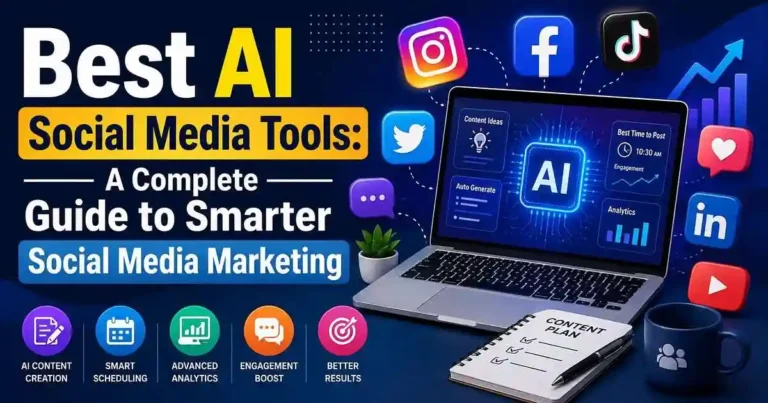
Imagine spending three hours each day on captioning the content, editing images, posting on social platforms, and interacting with the audience. Imagine reducing that time by half without any changes in the quality. That is exactly why the Best AI Social Media Tools are a must for marketers, entrepreneurs, freelancers, and content creators.
AI technologies are not just some futuristic tools that might help you in the future. They have already come, and they are capable of assisting you in idea generation, writing of the creative captions, creation of the images, content planning, analysis of the results, and even the timing of the posts.
It may seem easy to determine whether to apply the AI technology or not. But it gets tricky when there are hundreds of different platforms available to you.
In this article, we are going to explore the best AI social media tools, their pros and cons, pricing, and use cases.
Table of Contents
- What Are AI Social Media Tools?
- Why Businesses Use AI for Social Media
- Best AI Social Media Tools
- How to Choose the Right Tool
- Practical Examples
- Common Mistakes to Avoid
- Frequently Asked Questions
- Conclusion
What Are AI Social Media Tools?
AI social media marketing tools employ machine learning and natural language processing in automating tedious marketing tasks.
Some of these tools include:
• Caption generation
• Content writing
• Image creation
• Videos design
• Posting schedule
• Engagement analysis
• Hashtag suggestion
• Long-form content repurposing
• Customer communication
Instead of replacing marketers, such tools will allow marketers to concentrate on creativity and strategies.
Why Businesses Use AI for Social Media
The reason behind the adoption of AI is that it increases productivity without raising the marketing budget substantially.
Benefits include:
• Quick content generation
• Consistent post-scheduling
• Higher engagement analytics
• Less manual effort
• Better performance of campaigns
• Easy repurposing of content
For smaller companies on tight budgets, the use of AI is akin to hiring another marketing assistant.
Best AI Social Media Tools
1. ChatGPT
Best for:
- Writing captions
- Content ideas
- Marketing campaigns
- Script writing
- Content planning
Pros
- Excellent writing quality
- Multiple content formats
- Brainstorming support
- Time-saving
Cons
- Requires good prompts
Doesn’t schedule posts directly
2. Canva Magic Studio
Best for:
- Graphic design
- AI image generation
- Social media templates
Pros
- Beginner-friendly
- Thousands of templates
- Brand kit support
Cons
- Advanced features require Pro.
3. Buffer AI Assistant
Best for:
- Scheduling
- Content planning
- Caption improvement
Pros
- Clean interface
- Easy scheduling
- Analytics dashboard
Cons
Limited AI features compared to dedicated writing tools.
4. Hootsuite AI
Ideal for agencies managing multiple brands.
Features include:
- AI captions
- Scheduling
- Analytics
- Team collaboration
- Performance reporting
5. Jasper AI
Jasper specializes in marketing copy.
Perfect for:
- Facebook ads
- Instagram captions
- LinkedIn posts
- Product promotions
Its brand voice feature keeps messaging consistent.
6. Copy.ai
Best for:
- Short-form content
- Marketing ideas
- Promotional posts
Its templates help beginners create engaging posts quickly.
7. Predis.ai
Predis.ai focuses entirely on social media.
It can generate:
- Carousels
- Captions
- Hashtags
- Videos
- Competitor analysis
This makes it popular among Instagram marketers.
8. SocialBee
Excellent for evergreen content.
Key features:
- AI content generation
- Category-based scheduling
- Audience management
- Performance reports
9. Later
Later combines AI caption writing with visual content planning.
Ideal for:
- TikTok
Its drag-and-drop calendar is particularly useful.
10. Ocoya
Ocoya combines:
- AI writing
- Graphic creation
- Scheduling
- Analytics
It’s designed as an all-in-one solution.
11. Flick
Best known for AI-powered hashtag research.
Useful for creators looking to improve Instagram reach.
12. Sprout Social AI
A premium platform designed for larger businesses.
Features include:
- Customer engagement
- AI insights
- Social listening
- Analytics
- Team management
How to Choose the Right AI Social Media
Tool
Things to Consider Prior to Joining Any Platform
Your Goals
Take into account:
• Are captions necessary?
• Is scheduling needed?
• Is analytics required?
• Is graphics designing necessary?
Many programs focus on different areas.
Your Budget
As an individual, the free applications will be enough for you; but companies can benefit much more from the paid subscriptions.
The User-friendliness
Go for the program that fits the level of knowledge of your team. The user-friendly program is the key here.
The Integration
Make sure that the app is integrated with platforms such as:
• TikTok
• X (Twitter)
• YouTube
Practical Examples
Example 1: Small Business
A small fashion store uses ChatGPT for captions, Canva for images and Buffer for posting schedule. As a result, the amount of time needed to produce the content weekly decreases from hours to less than an hour.
Example 2: Digital Agency
A digital agency servicing various clients uses Hootsuite along with Jasper AI. While Hootsuite takes care of scheduling and analyzing, Jasper AI creates custom marketing copy.
Example 3: Content Creator
YouTube content creator uses AI tools to transform the videos into Instagram carousels, LinkedIn and X post, thereby utilizing already created content.
Actionable Tips
• Creates a content calendar every month.
• Uses AI to write first drafts before making edits.
• Tries different captions.
• Analyzes performance once every week.
• Repurposes successful content.
• Considers brand tonality when creating content.
• Uses various AI tools together.
• Proofreads before publishing.
Common Mistakes
Things to avoid when using artificial intelligence:
• Avoid releasing unedited AI-generated content.
• Ignoring audience feedback.
• Misuse of automation.
• Use cheap AI tools.
• Ignoring analytics.
• Release same content through all platforms.
• Miss adding a human touch.
AI should inspire your creative thinking, not hinder it.
Frequently Asked Questions
1. Which among the AI social media tools is the best?
It differs. For writing tasks, ChatGPT; for designing purposes, Canva; for scheduling, Buffer; and for an organized team, Hootsuite.
2. Are the social media AI tools free?
Yes, there are social media AI tools that are available at zero cost but without all the functionalities. Otherwise, one has to pay to use all functionalities.
3. Will the job of the social media manager be lost to AI?
No, AI will only assist in routine tasks.
4. Which is a good AI tool for Instagram?
Predis.ai, Canva, Later, and Flick are some AI tools that work very efficiently with Instagram posts.
5. Is it safe to use AI on social media?
Certainly yes, only if one makes sure that the content generated by AI is verified and no personal information is shared.
Conclusion
Best AI Social Media Tools can greatly enhance productivity through streamlining the process of content creation, scheduling posts, and performance analysis. Nevertheless, the best way to implement an effective strategy is to use one’s own creativity, original stories, and engagement with the audience.
Instead of trying to find one tool that will be ideal for everything, determine what your main difficulty is – whether it is creating captions, visuals, posting content in different accounts, etc., and select a tool that can solve this problem.







Your comment will appear immediately after submission.