Introduction
Making professional-level videos used to need costly software, strong machines, and lots of editing skills. All of that is in the past now thanks to artificial intelligence.
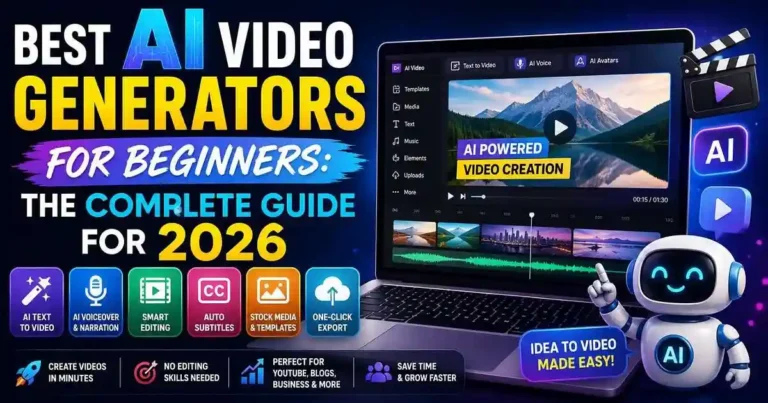
The Best AI Video Generators for Beginners make things simple when it comes to writing scripts, dubbing audio, animation, and adding subtitles. Whatever you are – a blogger, YouTuber, freelancer, teacher, or a small business owner – these video generators will help you create videos faster, simpler, and cheaper.
This article will look at the best AI video generators of 2026.
Table of Contents
- What Is an AI Video Generator?
- Why Beginners Should Use AI Video Tools
- 15 Best AI Video Generators for Beginners
- How to Choose the Right AI Video Generator
- Practical Workflow
- Common Mistakes to Avoid
- Frequently Asked Questions
- Conclusion
What Is an AI Video Generator?
AI video generator is an application that creates videos with the help of artificial intelligence. Rather than going through all scenes manually, one just needs to give instructions through text, pictures, or scripts, and AI will create a video on its own.
There are various tools which automatically create:
• Video scenes
• A voiceover
• Subtitles
• Music
• Animations
• Sample video content
• Effects transitions
• Effects
Why Beginners Should Use AI Video
Generators
Learning professional editing software can take months. AI tools remove much of that complexity.
Benefits include:
- Faster production
- No advanced editing skills required
- Lower production costs
- Built-in templates
- Automatic subtitles
- AI-generated voiceovers
- Professional-looking videos
- Easier content repurposing
These advantages allow beginners to focus on creating valuable content instead of struggling with technical editing.
15 Best AI Video Generators for Beginners
1. Pika
Best for: Creative AI video generation
Pika transforms text prompts and images into impressive short videos with cinematic effects.
Highlights
- Text-to-video
- Image animation
- Easy interface
Fast rendering
2. Runway
Runway offers one of the most advanced AI video creation platforms available.
Ideal for:
- Text-to-video
- AI editing
- Background removal
- Motion tracking
3. Google Veo
Google Veo produces highly realistic AI-generated videos from text prompts.
Best suited for creators looking for cinematic-quality content.
4. OpenAI Sora
Sora generates detailed, realistic videos using natural language prompts.
Although access may vary, it represents one of the biggest advances in AI video generation.
5. InVideo AI
A favorite among beginners.
Simply describe your idea, and InVideo AI creates an entire video with visuals, narration, transitions, and subtitles.
6. Synthesia
Synthesia specializes in AI avatar videos.
Perfect for:
- Business presentations
- Training videos
- Educational content
- Product demonstrations
7. HeyGen
HeyGen makes it easy to create talking-avatar videos with realistic voices.
Excellent for marketing and explainer videos.
8. Canva Magic Media
Canva combines design tools with AI-powered video generation.
Useful for:
- Social media videos
- Presentations
- Marketing content
9. Lumen5
Lumen5 converts blog posts into engaging videos automatically.
It’s an excellent choice for bloggers who want to repurpose written content.
10. FlexClip AI
FlexClip provides templates, stock assets, AI script writing, and automatic editing.
Ideal for beginners creating promotional videos.
11. VEED AI
VEED combines AI editing with subtitle generation, voice cloning, and social media optimization.
12. CapCut AI
CapCut offers several AI-powered editing tools, including auto captions, background removal, and AI effects.
Popular among short-form video creators.
13. Animoto
Animoto simplifies slideshow and promotional video creation using drag-and-drop editing enhanced by AI features.
14. Steve AI
Steve AI transforms blog articles, scripts, and text into animated videos with minimal effort.
15. Fliki
Fliki converts text into videos using realistic AI voices and stock visuals.
Great for:
- YouTube automation
- Educational videos
- News summaries
- Blog content
How to Choose the Right AI Video Generator
Each individual creator has his or her own needs.
Goal Tool to Use
Text-to-Video Pika, Runway, Sora
AI Avatars Synthesia, HeyGen
Blog-to-Video Lumen5, Fliki
Marketing Videos Canva, InVideo AI
Social Media Videos CapCut, VEED
Animated Videos Steve AI
Before buying a subscription, you need to think about your budget, preferred type of video,
Practical Example
Let’s assume that you run a blog about personal finance management.
Rather than producing your videos on your own, you can now:
1. Write your article.
2. Obtain the summary from ChatGPT.
3. Insert your script in InVideo AI.
4. Produce the narration automatically.
5. Insert your logo.
6. Create your video.
7. Post it on YouTube, Facebook, and Instagram.
With such an approach, you will be able to devote only an hour to what usually takes several.
Actionable Tips
- Start with free plans before upgrading.
- Use your own branding for consistency.
- Edit AI-generated scripts before publishing.
- Keep videos concise and engaging.
- Add captions for better accessibility.
- Repurpose blog posts into videos.
- Experiment with different AI voices.
- Always review the final output for accuracy.
Common Mistakes to Avoid
Most beginners assume that AI generates videos without requiring any modification.
Mistakes to avoid:
• Posting videos without proofreading.
• Speaking in a robot-like voice.
• Overlooking branding.
• Underusing good prompts.
• Putting too much text on-screen.
• Failing to consider copyright laws for the assets used.
• Oversaturating videos with AI effects.
Human intervention is still needed to create professional videos.
Frequently Asked Questions
1. What AI Video Generator Should a Beginner Choose?
InVideo AI, Canva Magic Media, and Fliki are good options because they have user-friendly interfaces and need minimal editing skills.
2. Can an AI Generate Videos Using a Script?
Yes, as there are numerous platforms that allow making whole videos based on prompts or scripts.
3. Is the Use of AI Video Generators Free?
They provide both free versions with basic functionality and paid subscriptions.
4. Can I create AI videos and upload them on YouTube?
Yes, since there is nothing wrong with creating and uploading AI videos on YouTube, provided that it abides by its guidelines.
5. What are some good AI video tools for bloggers?
Both Lumen5 and Fliki may prove helpful as you will be able to create videos from your blogs using these tools.
Conclusion
AI Video Generators for Beginners have revolutionized the field of video production in such a way that creating professional videos has never been easier. If your intentions lie in making videos to promote a YouTube channel, blog or educational purposes, then these AI video generators can be really helpful.
It may not be necessary to test out all of them. All that needs to be done is finding the one that suits your purpose best.











Your comment will appear immediately after submission.