Introduction
Choosing the platform from the list of Best Blogging Platforms for Beginners becomes a matter of necessity for you in your journey to become a good blogger. Good platform means the one which fits your needs and skills as well as further development.
WordPress.org is the platform you need if you are about to establish a career in blogging. But if all you need is to create a personal website with minimal effort, then either Blogger or Medium will do. The only thing you need to do is provide your visitors with some useful information.
What may happen after several weeks of creating your site is that you find out that you don’t know how to get started. You try to find some information on the web and find out that there are such terms as hosting, domain, themes, plugins, and SEO. Seems like more complex than you thought.
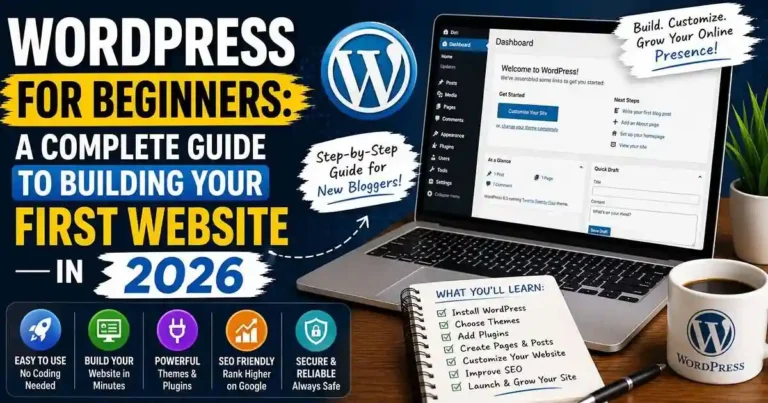
The good news is that WordPress for Beginners is not that difficult. Using appropriate roadmap, you can create a professional website without coding anything. Regardless whether it is a blog, a business website, a portfolio or even an e-shop, WordPress gives you enough flexibility to develop at your own pace.
Let’s
Table of Contents
- What Is WordPress?
- Why Choose WordPress?
- WordPress.org vs WordPress.com
- What You Need Before Getting Started
- How to Set Up WordPress
- Essential WordPress Features Every Beginner Should Know
- Best Plugins for Beginners
- WordPress SEO Basics
- Practical Example
- Actionable Tips
- Common Mistakes
- Frequently Asked Questions
- Conclusion
What Is WordPress?
WordPress is the world’s most popular CMS. This enables one to develop websites without coding anything but using the visual interface.
Using WordPress, one is able to develop:
• Blogs
• Business Websites
• Portfolios
• Newspaper Websites
• Sales Websites
• Membership Websites
• Educational Websites
The other important feature that keeps WordPress as popular as it is, is the flexibility that your website will have with WordPress.
Why Choose WordPress?
There are several questions that most newbies generally ask themselves regarding the recommendation of many specialists on using WordPress. The following points justify some of those recommendations:
• Ease of use
• Unlimited free themes
• Various plugins
• Search engine optimization friendly
• Mobile friendly sites
• Community support
• Content for your website
• Scalability
WordPress is not limited to specific templates and functionalities. Instead, WordPress gives you all the freedom that you desire with your website.
WordPress.org vs WordPress.com
Before creating your website, it’s important to understand the difference.
WordPress.org
Best for:
- Bloggers
- Businesses
- Affiliate marketers
Long-term website owners
Pros
- Complete control
- Better SEO
- Unlimited customization
- Full monetization
Cons
- Requires web hosting
Slight learning curve
WordPress.com
Best for:
• Individual blogs
• Those looking for an easy-to-install solution
Advantages
• Simple installation
• Includes hosting
Disadvantages
• Limitations when it comes to personalizing
• Limited functionality
• Not as much control over your website
If you are looking to develop your website in the future, WordPress.org is the way to go.
What You Need Before Getting Started
Launching a WordPress website requires a few essentials.
1. Domain Name
Choose a domain that is:
- Easy to remember
- Short
- Relevant to your niche
- Simple to spell
Example:
najibul.com
2. Web Hosting
Hosting stores your website files and makes them available online.
Look for hosting that offers:
- Good speed
- Daily backups
- Strong security
- One-click WordPress installation
Reliable customer support
3. SSL Certificate
An SSL certificate encrypts data between your website and visitors, improving security and trust.
How to Set Up WordPress
Step 1: Subscription to Web Hosting and Domain Name
All web hosts listed above offer their users to install WordPress using one-click installation service.
Step 2: WordPress Installation
Subscribing to any of the web hosts listed above and installing WordPress via one-click installation service offered by WordPress. It will not take you much time.
Step 3: Selection of Theme
Theme is one of the components which define the design of your website.
Here are some features that should be kept in mind while selecting a theme:
• Fast
• Responsive
• Up-to-date
• Reputable
It is recommended not to use different themes.
Step 4: Website Designing
WordPress Customizer is a tool which lets you design your website using:
• Header / Logo
• Colors & Fonts
• Navigation Menu
• Home Page Design
• Widgets
Step 5: Creation of Pages for your Website
Pages that you should create for your website:
• Home Page
• About Us
• Contact Us
• Privacy Policy
• Blog
It will help visitors understand more about your website.
Essential WordPress Features Every
Beginner Should Know
Dashboard
The Dashboard will be your control panel from where you can manage everything including posts, pages, plugins, themes, comments, etc.
Difference between post & page
Posts can be used to update your website through regular blogging.
Pages can be used to divide your website into different static pages such as about us pages and contact pages.
Categories & tags
Categories and tags will allow you to categorize your website.
Media Library
Manage all of your media files from one place.
Best Plugins for Beginners
Plugins are used to enhance functionalities of WordPress without having to use any code.
There are some of the plugins which can be installed, which include:
• SEO plugin
• Caching plugin
• Security plugin
• Backup plugin
• Contact form plugin
• Image optimization plugin
One should only install those plugins which are needed as excessive plugins can reduce speed of website.
WordPress SEO Basics
But, even in such a case, if there is an effective website, it must be SEO optimized so that it can attract the user’s attention.
Keywords
It is necessary for you to do some research on the keywords before writing the content.
Title Optimization
You must have titles which are interesting as well as relevant.
Website Speed
Image compression, caching, and web hosting would help you to have a fast website.
Internal Linking
If you create links among related blogs, people will take interest in reading them.
Mobile Optimization
People like to use their cellphones while browsing through the Internet.
Practical Example
For instance, let’s assume that Sarah wants to create her own blog on finance.
Sarah buys a domain name for her website, uses WordPress, picks up a good theme for her blog, makes pages, installs SEO and security plugins, and writes at least one blog post per week.
In a few months, she would have written many blog posts, which would get visitors from the search engine because of her effort and good posts, not costly ones.
Actionable Tips
• Start by designing a simple website.
• Use reliable themes and plugins.
• Maintain WordPress regularly.
• Back up your website weekly.
• Optimize images before uploading them.
• Generate relevant content on a regular basis.
• Implement SEO right from the beginning.
• Guard your login access by using strong passwords.
Common Mistakes Beginners Should Avoid
Common pitfalls for many beginners using WordPress include:
• Low-quality hosting.
• Having too many plugins.
• No website security.
• Neglecting website backups.
• Failing to proofread before publishing.
• Slow or out-of-date themes.
• Neglecting SEO for later.
• No image optimization.
It’s best to start developing good practices right from the beginning.
Frequently Asked Questions
1. Is WordPress free?
Yes, WordPress is free software; however, there is a requirement of buying your domain and web hosting services in order to make a website. It is free though.
2. Is it necessary that I must be knowing about coding?
No, absolutely not. It is not necessary for you to be having any knowledge regarding coding to make a website through WordPress.
3. What is the amount of time that I will require for making a website?
The amount of time you will need to make a website is less; however, some more time will be needed for customizing your website.
4. Can I earn money using my WordPress site?
Yes, because there are many sites which earn money through affiliate marketing, advertisements, sponsored posts, selling digital goods, online courses and even through freelancing.
5. Is it helpful for SEO?
Yes, because WordPress is very much friendly to SEO and it performs very well for SEO purposes.
Conclusion
WordPress For Beginners is among the most useful skills that one should acquire when they want to establish their presence online in 2026. Although one needs to overcome a learning process, the use of WordPress enables website creation without being technically savvy.
Selecting a reputable web host, selecting a light theme, installing necessary plugins only, and creating valuable content is all that you need to do in order to have your site grow into a blog, business website, or an e-commerce site.








Your comment will appear immediately after submission.