Introduction
Imagine wasting many hours on report writing, creating social media posts, photo editing, and organizing. You would be amazed to know that most of these activities could be done in minutes through some of the available AI software.
Finding these AI programs is not difficult; the problem is how to find the correct ones among hundreds of applications launched monthly which promise much but deliver little. Most beginners end up buying products which they hardly use or selecting very complicated tools.
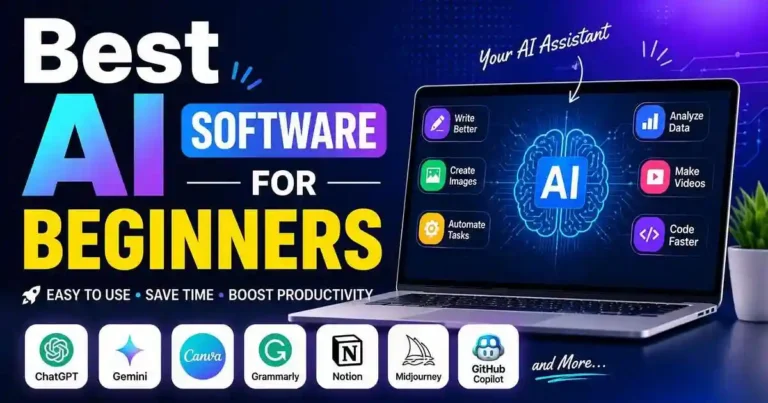
This guide will introduce you to Best AI Software for Beginners in 2026. We shall not concentrate on fancy programs, but will select the simplest, most valuable, and practical ones solving the day-to-day problems of students, freelancers, bloggers, creators, and businesspersons.
Table of Contents
- Why Beginners Should Use AI Software
- How to Choose Beginner-Friendly AI Tools
- 15 Best AI Software for Beginners
- Free vs Paid AI Software
- Practical Use Cases
- Tips for Getting Better AI Results
- Common Mistakes to Avoid
- Frequently Asked Questions
- Conclusion
Why Beginners Should Use AI Software
The software is meant to help you escape from tedious activities and allow you to be creative and make more informed decisions.
Advantages of AI are:
• Time saving in performing routine activities
• Fast learning of skills
• Generation of quality content
• Increased efficiency
• Routine activities automation
• Lower cost for freelancers and businesses
To novices, the technology appears to have a personal assistant around them all the time.
How to Choose the Best AI Software for
Beginners
It is not true that all AI software works well for beginners.
Here are some features to look for:
• Simple and clean design
• Tutorials
• Cheap prices or free plans
• Good results
• Responsive customer support
• Updates
Don’t purchase the subscription plans before trying out the free one.
15 Best AI Software for Beginners
1. ChatGPT
Good For
For writing, thinking of ideas, studying, research work, coding, messaging, and staying productive.
Why newbies love this one:
• Simply conversational interface
• Provides fast responses
• Fast ideas generation
• Explains complex stuff
Example:
The blogger can create outlines for blog posts, emails drafts, and social media captions quickly.
2. Google Gemini
Best For
Research, document assistance, and Google Workspace users.
Highlights:
- Integrates with Google Docs
- Helpful for students
- Excellent research companion
3. Microsoft Copilot
Best For
Office productivity.
Useful features:
- Creates PowerPoint slides
- Summarizes Word documents
- Assists with Excel formulas
- Drafts emails in Outlook
Ideal for office workers and professionals.
4. Canva AI
Best For
Graphic design.
Canva AI helps beginners create:
- YouTube thumbnails
- Social media posts
- Logos
- Presentations
- Posters
No design experience required.
5. Grammarly
Most Suitable For:
Writing Skill Improvement
Contains Features Of:
• Feature Of Grammar Checker
• Improves Tone
• Improves Clarity
• Helpful for professional writers while writing
Most suitable for:
Blogs, Students & Freelancers
6. Notion AI
Best For
Productivity and note-taking.
Use it to:
- Summarize notes
- Create task lists
- Generate meeting summaries
- Organize projects
7. Perplexity AI
Best For
Research.
Unlike traditional search engines, it provides concise answers with cited sources, making research faster and easier
8. Claude
Best For
Long-form writing.
Claude performs especially well when handling:
- Reports
- Articles
- PDFs
- Brainstorming sessions
Its natural writing style makes editing easier.
9. GitHub Copilot
Best For
Learning programming.
Beginners can:
- Understand code
- Generate functions
- Fix bugs
- Learn programming concepts
10. Midjourney
Best For
Creative AI artwork.
Ideal for:
- Digital art
- Book covers
- Blog illustrations
- Concept designs
11. Adobe Firefly
Best For
Commercial image generation.
Useful for marketers, bloggers, and designers who need high-quality visuals.
12. ElevenLabs
Best For
AI voice generation.
Create:
- Narrations
- YouTube voiceovers
- Podcasts
- Audiobooks
13. CapCut AI
Best For
Video editing.
Features include:
- Automatic captions
- AI effects
- Background removal
- Video enhancement
Perfect for beginner content creators
14. Otter.ai
Best For
Meeting transcription.
Automatically converts spoken conversations into searchable text, making it useful for students, professionals, and journalists.
15. Zapier AI
Best For
Automation.
Examples include:
- Saving email attachments automatically
- Connecting apps
- Automating workflows
- Reducing repetitive tasks
Even beginners can build simple automations without coding.
Comparing the Best AI Software for
Beginners
| Software | Best For | Free Plan | Difficulty |
| ChatGPT | Writing & Productivity | Yes | Easy |
| Gemini | Research | Yes | Easy |
| Copilot | Office Work | Limited | Easy |
| Canva AI | Design | Yes | Easy |
| Grammarly | Writing | Yes | Easy |
| Notion AI | Productivity | Limited | Easy |
| Claude | Long Writing | Yes | Easy |
| Perplexity | Research | Yes | Easy |
| GitHub Copilot | Coding | Trial | Medium |
| Midjourney | Art | No | Medium |
| Firefly | Images | Limited | Easy |
| ElevenLabs | Voice | Yes | Easy |
| CapCut AI | Video | Yes | Easy |
| Otter.ai | Transcription | Yes | Easy |
| Zapier AI | Automation | Limited | Medium |
Free vs Paid AI Software
Many beginners wonder if paid plans are worth the investment.
Free Plans Are Great For:
- Learning AI
- Casual users
- Students
- Personal projects
Paid Plans Make Sense If You:
- Run a business
- Publish content daily
- Need advanced features
- Want faster performance
- Require higher usage limits
Start with free plans and upgrade only when you consistently reach their limits.
Practical Examples
For Bloggers
Outlines with ChatGPT, Edit documents with Grammarly, Design featured images using Canva AI, Conduct research using Perplexity AI
For Students
Organize your notes, summarize classes, and handle assignments using Gemini, Otter.ai, Notion AI
For Freelancers
Proposal writing through Claude, Presentations using Canva AI, Tasks automation using Zapier AI, Professional correspondence using Grammarly
For Small Business Owners
Marketing content creation, Promotional graphics design, Customer queries answering, Automation of routine office tasks without extra workforce.
Actionable Tips for Beginners
• Begin with just a few AI tools instead of downloading all.
• Learn how to craft prompts properly.
• Ensure the accuracy of AI facts before sharing.
• Do not share confidential business information.
• Use a number of AI tools together.
• Have patience while learning new features.
Common Mistakes to Avoid
New users can make unnecessary mistakes while working with AI software.
Examples of such mistakes can be:
• Spending money on costly subscriptions prematurely
• Relying blindly on AI output
• Using ambiguous prompts
• Not paying attention to privacy settings
• Having unrealistic expectations
• Counting only on AI and not on your own skills
The best results can be achieved by integrating AI support and your personal judgement.
Frequently Asked Questions
1. What is the best AI software program for beginners?
It can be said that ChatGPT is one of the best AI software programs for beginners due to its efficiency and easiness of writing, learning, thinking, coding, and productivity.
2. Are there any AI software programs which can be used freely by beginners?
There are several AI software programs which can be freely used by the beginners.
3. What is the best AI software program for the students?
Some of the best AI software programs for the students can be Gemini, ChatGPT, Notion AI, Grammarly, and Otter.ai.
4. How easy is it to learn AI software?
AI software for beginners is created in such a way that they can use it right away after a couple of hours of studying it due to its user-friendly design.
5. Should I purchase AI software?
Try out the software first and then purchase it if necessary due to your job or other reasons.
Conclusion
Choosing the Best AI Software for Beginners doesn’t require buying every popular tool on the market. The smartest approach is to identify the tasks you perform most often and select software that simplifies those specific activities.
Whether you’re writing blog posts, editing videos, designing graphics, researching information, or improving productivity, beginner-friendly AI tools can save time and help you work more efficiently. As your skills grow, you can gradually explore advanced features and premium plans without feeling overwhelmed.
The goal isn’t to let AI do all the work—it’s to use AI as a practical assistant that helps you produce better results with less effort.









Your comment will appear immediately after submission.