Just consider getting a new client and the request to provide them with your website. Of course, you are a good freelancer, but the website does not show your professionalism. Hiring a designer costs at least hundreds or thousands of dollars and developing your own site requires a few weeks.
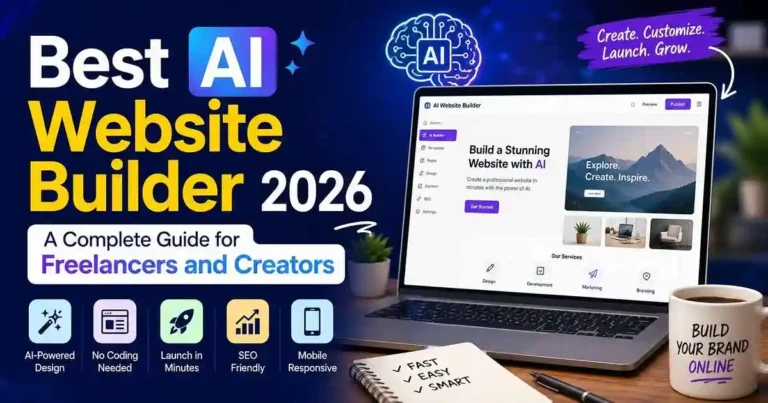
Here comes in handy Best AI website builder 2026. Modern website builders based on artificial intelligence are able to build you professional sites within a few minutes answering just several questions about your company. They will provide you with layouts, write content, suggest some images and even make your site mobile-friendly.
It gives you an opportunity to spend less time learning how to build a website and more time doing the things which give you money. The difficulty here is not in finding an AI website builder, but in choosing the most suitable one.
Below is the comparison of the most popular ones, their peculiarities and target audience.
What Is an AI Website Builder?
Website builders based on AI technology employ the power of AI for ease of building websites. Rather than manually designing each page, you just give answers to such questions as:
• What type of business is yours?
• Who is your target customer?
• What style are you aiming for?
• Which pages do you need?
And the AI will create a website for you which will include:
• Website design
• Color scheme
• Fonts
• Navigational structure
• Pictures or suggestions for pictures
• Writing
• Contact forms
• Mobile optimized pages
In addition to this, most website builder platforms provide you with the option of using AI to create better headlines, product descriptions, blogs and SEO content.
This results in a much faster built website.
Why Freelancers and Creators Are Choosing AI Website Builders
There are several factors that make website builders based on AI technology more popular these days—mostly practical ones.
Time Saving
Whereas previously creating a portfolio website was a process taking several days, it currently takes only an hour.
This means that you will be able to ignore issues such as proper space allocation, font, and layout and focus on content only.
Cost Saving
Website designers are definitely not affordable for everybody.
Website builders on the basis of AI usually provide you with relatively cheap subscriptions that make them extremely convenient for freelancers.
Easy to Update
Want to present something new?
Want to make changes in your portfolio?
With AI website builders, you will be able to do this easily without having to write a single line of code.
No Experience Required
HTML, CSS, and JavaScript coding experience is not necessary.
Most drag-and-drop editor platforms have artificial intelligence features.
Built-In SEO Tools
Several builders provide tools such as:
• Meta title creation
• Meta description creation
• Image alt tag creation
• Mobile optimized
• Clean URL creation
• Schema generation capabilities
How We Evaluated the Best AI Website Builder 2026
Rather than merely naming off a list of popular builders, we concentrated on the most important aspects of website creation for independent workers.
Ease of Use
Can a person with no tech knowledge make an attractive website?
AI Quality
Is the work generated by the AI helpful and complete, or does it need a lot of editing?
Design Customization
Can you modify colors, fonts, sections, and brand design after the AI creates your website?
SEO Features
It’s not enough to have an attractive website if nobody finds it.
We searched for platforms that include:
• SEO customization
• High-speed loading
• Responsive design
• Blogging capabilities
• Analytics tools
Price
Value is important.
Each platform was considered based on how much value it offers relative to the monthly price tag.
Best AI Website Builder 2026: Top Picks
1. Wix AI
Best for: Freelancers and Small Businesses
There are huge amounts of investment by Wix in their AI technology and one of the best-rounded website builders.
By responding to few questions, Wix will create a complete website for you with all the required sections, images and text suggestions.
Pros
• Website building using Ai – Best in the class
• Templates
• SEO tools
• Blogging
• App Store
• Grows as you grow
Cons
• More expensive plans for advanced features
• Overwhelming options for customizations for beginners.
2. Hostinger AI Website Builder
Best For: Economical users
Hostinger provides one of the most straightforward AI website builders.
This tool can create an appealing homepage, business pages, and even marketing content in mere minutes.
Advantages
• Affordable price range
• Rapid deployment
• AI content writer
• AI logo creator
• AI heatmap tool
• Easy-to-use interface
Disadvantages
• Limited customization compared to bigger rivals
• Small app ecosystem.
3.Squarespace AI
Useful For: Designers, Photographers, Creatives
As is known, Squarespace always offered outstanding design options and their AI capabilities only make sites prettier.
The AI of this company works on structuring the pages and creating content in accordance with the overall high-level design of your site.
Pros
• Nice templates
• Outstanding portfolio templates
• Blogging functionality
• E-commerce capabilities
• Overall professional design
Cons
• Not as flexible as other options.
• Might be expensive for newbies.
4. Shopify Magic
Useful for: E-commerce sites and e-commerce designers
If your focus is selling your products, not creating a portfolio, you should definitely consider Shopify Magic.
Shopify Magic comes with a bunch of useful AI capabilities that will be able to create product descriptions, marketing text, emails, and pages on your site. With its e-commerce features, it makes a great choice for those planning to monetize their projects through physical or digital products.
Pros
• Great e-commerce tools
• AI-based product descriptions
• Secure payments
• Big app market
• Easy inventory control
Cons
• More expensive than portfolio makers
• Won’t work for those not needing an online store
5. Durable AI
Useful for: Freelancers with service-related work
Durable is built on the principle that it will make you a business website within less than a minute.
It makes a homepage, service page, contact form, business content, and even a CRM for lead management.
Benefits
• Quick and easy to set up
• Business content from an AI
• CRM
• Editing tools
Disadvantages
• Limited design options
• Best for business websites rather than creative ones
6. Framer AI
Good for: designers and developers
Framer AI is a mix of modern design and AI-generated layout.
It creates non-template websites that look modern and professional.
Pro:
• good visuals
• very fast
• responsive layout
• good portfolio builder
Con:
• difficult to learn
• better for designers
7. 10Web AI Builder
Best for: WordPress users
If you love WordPress but don’t want to do everything from scratch, then 10Web is a great choice for you.
Their AI can replicate existing websites, create new designs, and make your WordPress website easy to manage yet flexible.
Advantages
• WordPress friendly
• AI design features
• Secure hosting
• SEO-optimized design
Disadvantages
• Best fit for those who are already familiar with WordPress
• More complex than beginner-friendly builders
Which AI Website Builder Is Right for You?
Every builder has its own advantages. Rather than look for the “best” all-around solution, pick the one that best suits your needs.
Needs Recommended Builder
Portfolio for freelancers Wix AI
Creative portfolio Squarespace AI
Low-cost website Hostinger AI
E-commerce site Shopify Magic
Fast business site Durable AI
Portfolio site Framer AI
WordPress site 10Web AI
Your choice will depend on what you’re building now and what you’re planning for the future.
Practical Example
Think that you are a freelance graphic designer.
Requirements include:
• Portfolios gallery
• About me page
• Contact form
• Testimonials
• Blog
• Pricing for service
Using AI website builder, you will just tell what your business is, select style that you like, and the system will create your website for you. Later on, you will replace the demo content with your content and portfolio images.
It might be possible to publish your website on the same day.
Actionable Tips for Better Results
Although the usage of AI will help you save your time while building the website, the end result will depend on you.
1. Give detailed information
When answering the questions asked by AI, give as much detailed information as possible about yourself and your business. The more detailed information you will give, the more personalized website will be built for you by AI.
2. Do not give general information
AI helps you build a website but does not build a website for you. Personalize the website that has been built by AI.
3. Add quality images
Images that relate to your product/service will have a greater impact than the stock photos.
4. Make your website optimized for search engines
Make sure that before launching your website it has the following features:
• unique page titles;
• quality meta description;
• quality headings;
• compressed images;
• organic keywords.
5. Your website should be updated regularly
Website building is an ongoing process.
Common Mistakes to Avoid
Many novices assume that AI will do everything automatically. Watch out for these mistakes:
• Launching the website without checking the text written by AI
• Failing to consider mobile responsiveness
• The excessive use of fonts and colors
• Not putting any call-to-action buttons
• Skipping SEO options
• Having placeholders on the website
• Picking an inappropriate builder
Just a small effort to check your website can make a big difference.
Frequently Asked Questions
1. What is the best AI website builder 2026 for beginners?
For most beginners, Wix AI and Hostinger AI Website Builder offer the easiest setup, intuitive editors, and strong built-in features.
2. Can a professional site be developed using AI?
Yes, it is possible to develop a professional site by using AI. Nevertheless, it should be mentioned that the work performed by AI has to be evaluated and improved.
3. Can SEO be done for the AI-powered website?
In fact, most of the top website builders powered by AI offer SEO features like custom meta tags, optimized images, etc. However, the poor content prevents you from doing SEO.
4. What is the best AI website builder for freelance use?
It is most likely that freelancers should pick Wix AI since it offers the right combination of customizability and portfolio functionality. Creative individuals may opt for Squarespace AI due to the premium templates available there.
5. Should creators go for AI instead of WordPress?
Speed and simplicity should be considered in favor of an AI website builder while customization and control may require choosing WordPress, which can be enhanced by using AI technologies like 10Web.
Conclusion
Selecting the best AI Website Builder 2026 is not just about choosing the website building software with the most features but about selecting the right software for you based on your requirements, budget, and technical expertise.
As a freelancer or creator, AI website building software takes out all the hassle associated with creating an official website as a starting point in your business. It saves you both time and money and lets you create an online portfolio without having any knowledge of coding or designing.
Begin with the software that suits you right now and keep customizing its AI-generated content according to your branding requirements. Keep updating your website and make it more valuable for your business.









Your comment will appear immediately after submission.