Introduction
It is so much fun to become a novice blogger until you realize how many things you should do. You will need to choose the platform, to write some articles, to design some pictures, to optimize everything for the search engines, to check the results of the work, and to promote it somehow. But without good tools, even those basic things could seem complicated and hard to do.
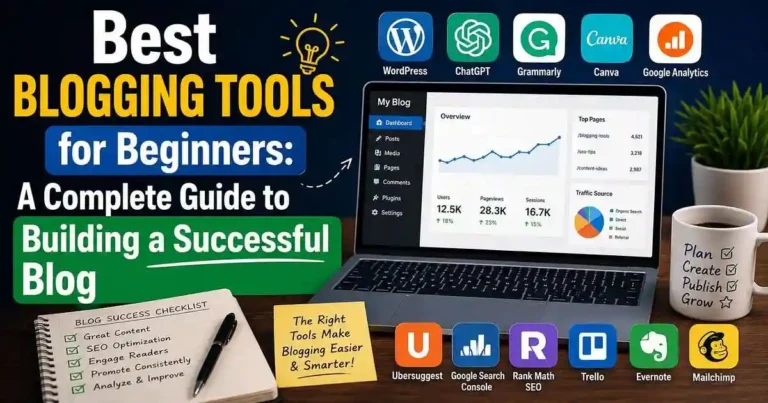
That is the main reason why it is so important to choose the Best Blogging Tools for Beginners. Good software will not only make your work easier but also give you the opportunity to create better content and promote your website without wasting time on something unnecessary.
The best thing about it is that you don’t need a dozen of different applications. A couple of useful programs will be enough for you to start your blog and to attract your target audience.
Table of Contents
- Why Blogging Tools Matter
- Categories of Essential Blogging Tools
- Best Blogging Tools for Beginners
- How to Choose the Right Tools
- Practical Examples
- Actionable Tips
- Common Mistakes to Avoid
- Frequently Asked Questions
- Conclusion
Why Blogging Tools Matter
It is common among newbie bloggers to think that their success depends only on their writing skills. While the quality of writing is important, tools that you have will help you achieve this successfully.
Good blogging tools will help you to:
• Make quality posts.
• SEO optimization.
• Creating professional graphics.
• Conducting keyword research.
• Monitoring your site.
• Stay organized.
• Have more time.
These tools will not kill your creativity; they will just allow you to make quality posts.
Categories of Essential Blogging Tools
Prior to selecting your software, you must know what each type is responsible for.
You will need:
• Blogging software
• Writing and editing software
• Search engine optimization software
• Keyword research software
• Graphic design software
• Analytics software
• Productivity software
• Email marketing software
Not all software needs to be premium at the start of your journey as a blogger.
Best Blogging Tools for Beginners
1. WordPress
Best for: Creating Your Blog
WordPress is utilized by millions of sites as it is flexible and customizable.
Advantages:
• Many Themes Available
• Plugins
• Optimized For Search Engines
• Large Community
• Easy to Manage
WordPress is a perfect choice for almost all beginners.
2. ChatGPT
Best For: Content planning and writing assistance
ChatGPT can help with:
- Blog outlines
- Headline ideas
- Content brainstorming
- Meta descriptions
- FAQ creation
- Editing suggestions
It works best as a writing assistant rather than a replacement for your own expertise.
3. Grammarly
Best For: Grammar and proofreading
Even experienced writers make mistakes.
Grammarly helps improve:
- Grammar
- Spelling
- Clarity
- Tone
- Readability
Publishing polished content builds trust with readers.
4. Canva
Best For: Blog graphics
Visuals improve engagement.
Canva allows beginners to create:
- Featured images
- Pinterest pins
- Social media graphics
- Infographics
- Logos
Its drag-and-drop interface requires no design experience.
5. Google Search Console
Best For: SEO monitoring
This free tool shows:
- Search performance
- Keyword rankings
- Indexing issues
- Click-through rates
- Technical errors
It’s one of the most valuable tools every blogger should install immediately.
6. Google Analytics
Best For: Understanding visitors
Google Analytics helps answer questions like:
- Where do visitors come from?
- Which pages perform best?
- How long do readers stay?
- Which devices do they use?
Data helps you improve your content strategy.
7. Ahrefs Webmaster Tools
Best For: Basic SEO insights
Beginners can use it to:
- Audit websites
- Identify broken links
- Monitor backlinks
- Improve technical SEO
The free version offers plenty of value.
8. Ubersuggest
Best For: Keyword research
Ubersuggest helps discover:
- Keyword ideas
- Search volume
- SEO difficulty
- Competitor keywords
- Content opportunities
It’s an accessible option for beginners.
9. Notion
Best For: Content planning
Notion can organize:
- Editorial calendars
- Research notes
- Writing checklists
- Content ideas
- Project management
Keeping everything in one place reduces stress.
10. Trello
Best For: Workflow management
Create simple boards such as:
- Ideas
- Research
- Writing
- Editing
- Published
This visual workflow keeps blogging projects on track.
11. Buffer
Best For: Social media scheduling
Instead of posting manually every day, Buffer lets you schedule content across multiple platforms, helping you maintain a consistent online presence.
12. Mailchimp
Perfect For: E-Mail Marketing
From the very beginning, your e-mail list lets you communicate directly with your clients.
Using MailChimp, you will be able to:
• Send newsletters
• Create sign-up forms
• Send automatic welcoming emails
• Analyze the results of your campaigns
13. TinyPNG
Best For: Optimizing Images
Large images can make websites run slow.
TinyPNG helps you compress images without losing much image quality to boost your site’s speed.
14. Rank Math SEO
Best For: WordPress SEO
Rank Math simplifies:
- Meta titles
- Meta descriptions
- XML sitemaps
- Schema markup
- SEO analysis
It’s particularly beginner-friendly.
15. Google Docs
Best For: Drafting articles
Google Docs provides:
- Automatic saving
- Collaboration
- Easy formatting
- Version history
- Cloud access
Many bloggers still prefer writing in Google Docs before publishing.
How to Choose the Right Blogging Tools
Free Tools First
There are many great blogging tools providing substantial free packages.
Start with the free options and move to more expensive only after you have outgrown their capabilities.
Determine Your Greatest Problem
Consider:
• Am I a poor writer?
• Am I in need of improved SEO?
• Is graphics hard for me?
• Do I need organization help?
Use tools that address your current issues.
Avoid Too Many Tools
Too many programs will only complicate your work unnecessarily.
An amateur blogger can operate an entire blog using the following tools:
• WordPress
• ChatGPT
• Grammarly
• Canva
• Google Search Console
• Google Analytics
It is sufficient for creating, optimizing, publishing, and analyzing quality content.
Practical Examples
Example 1: New Blog
For new bloggers, a blog website is created in WordPress. The articles are written in Google Docs while featured images are created using Canva and then proofread using Grammarly. Google Search Console can be used for search performance monitoring since day one.
Example 2: Recipe Blog
In case of recipe blogging, Ubersuggest is used for keyword research. Then low competition keywords are found out. Recipes are made in Canva and posts are scheduled through Buffer on Pinterest.
Example 3: Freelance Writer
The freelance writer creates his clients’ projects using Notion. He writes articles using Google Docs, checks articles for grammar using Grammarly and optimizes articles using Rank Math.
Actionable Tips
1. One tool at a time.
2. Try free tools first, and then opt for paid ones.
3. Use an editorial calendar while planning your content.
4. Log in to Google Search Console weekly.
5. Compress all your images prior to uploading.
6. Backup your website regularly.
7. Read all your posts prior to publishing them.
8. Keep all your plugins and themes updated.
Common Mistakes to Avoid
Common mistakes made by beginners:
• Using expensive software prematurely.
• Installing too many WordPress plugins.
• Disregarding analytics.
• Publishing content without SEO optimization.
• Not backing up the website.
• Selcting tools based on popularity rather than utility.
• Over-complicating the process.
The most effective set of tools is the one that you use regularly.
Frequently Asked Questions
1. Which are the most efficient blogging tools for beginners?
Blogging tools consist of such applications as WordPress, ChatGPT, Grammarly, Canva, Google Search Console, Google Analytics, and Rank Math.
2. Is it possible to use free blogging tools to start a blog?
Yes, it is possible as many famous blogs have been built with the help of some free blogging tools and other ones such as SEO, writing assistance, and design.
3. Which is the best blogging tool for SEO?
Google Search Console will help you check the efficiency of your blog in the search engines, while Rank Math will assist you in optimizing your WordPress site in the search engines.
4. Is it necessary to pay for blogging tools these days?
These days it is not necessary to pay for any blogging tools.
5. How many blogging tools does a beginner need?
Beginners may need from five to seven blogging tools.
Conclusion
Selecting the Best Blogging Tools for Beginners is not about investing in expensive blogging software but rather in reliable software that makes your life easier, improves your writing, and helps you grow steadily.
Start from the beginning, learn how to use each tool, and increase your collection of tools gradually as your blog grows. A good workflow combined with the right software can save you a lot of time and frustration, and let you concentrate on writing valuable material for your readers.










Your comment will appear immediately after submission.