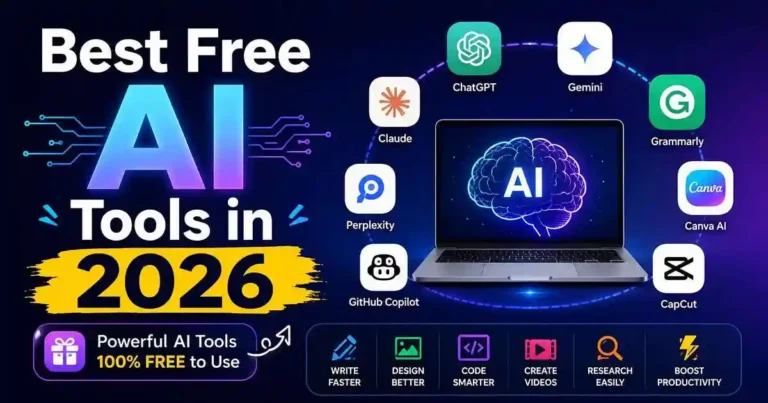
Think about sitting at your laptop to complete several tasks. You have to write an article, make graphics for social media, answer some emails, edit videos, summarize reports, and possibly even write some code. Comprehensively doing all of this might consume a whole day.
Think about completing most of these tasks in just a few hours without spending thousands on software.
It is for exactly this reason that the Best Free AI Tools in 2026 are essential to every student, freelancer, blogger, entrepreneur, and small business owner. Free AI tools are not just trial versions with very little functionality. Many of them offer actual helpful functionality which does not need a paid subscription.
This guide takes a look at some of the best free AI tools in 2026, tells where each of these tools is best suited, and helps you choose the best AI tools for yourself.
- Why Free AI Tools Are More Powerful Than Ever
- Best Free AI Tools in 2026 for Everyday Use
- Best Free AI Writing Tools
- Best Free AI Image Generation Tools
- Best Free AI Video Tools
- Best Free AI Coding Tools
- Best Free AI Productivity Tools
- Best Free AI Tools for Students
- Best Free AI Tools for Bloggers
- AI Tools Comparison Table
- How to Choose the Right AI Tool
- Practical Example
- Actionable Tips
- Common Mistakes to Avoid
- Frequently Asked Questions (FAQ)
- Conclusion
Why Free AI Tools Are More Powerful Than Ever
It used to be that a majority of AI applications would conceal the most advanced features behind pricey subscriptions. However, in 2026, everything has been completely different.
As a result, most firms offer huge free packages as they are competing for clients. Consequently, newbies get the chance to use the AI assistants which are meant for such purposes as writing, drawing, coding, researching, and increasing productivity absolutely free.
However, there is not one AI tool that works well in each case. The optimal option is to combine them.
Best Free AI Tools in 2026 for Everyday Use
1. ChatGPT
This AI program can be used for:
- Writing
- Brainstorming
- Learning
- Researching
- Coding
ChatGPT continues to remain as one of the most versatile AI programs which anyone can use. This is because the program that is free to use is the best when it comes to writing, explaining, organizing, summarizing, and problem-solving.
It can be used for:
- Blogging
- Learning
- Freelancing
- Business
2. Google Gemini
This AI program can be used for:
- Google Workspace
- Researching
- Email sending
- Document analysis
This program operates well within the Google ecosystem and is effective for those who use Gmail, Google docs, and Google drive.
3. Microsoft Copilot
Best for:
- Windows users
- Office productivity
- Coding
- Research
Copilot works well for people already using Microsoft services and offers strong integration with Office applications.
4. Claude
Best for:
- Long-form writing
- Summarizing documents
- Careful analysis
Claude is known for producing natural writing and handling lengthy documents effectively.
5. Perplexity AI
Best for:
- Research
- Finding reliable sources
- Quick fact checking
Instead of only generating answers, Perplexity provides citations that help users verify information.
Best Free AI Writing Tools
Grammarly
The app will be used to ensure the grammatical accuracy of your writing along with clarity and tone. The free version of the app is sufficient to get you writing professionally.
Uses:
- E-mails
- Blogs
- Reports
- Papers
QuillBot
QuillBot specializes in:
- Paraphrasing
- Summarizing
- Grammar correction
- Sentence improvement
Students and content creators frequently use it to polish existing text.
Best Free AI Image Generation Tools
Microsoft Designer
Excellent for:
- Social media graphics
- Marketing materials
- Presentations
- Thumbnails
The interface is beginner-friendly and produces attractive visuals quickly.
Adobe Firefly
Firefly offers high-quality AI-generated images while respecting commercially safe training practices.
Good for:
- Marketing
- Design concepts
- Illustrations
- Creative projects
Leonardo AI
Leonardo AI has become popular among creators for generating:
- Game assets
- Character art
- Concept illustrations
- Creative graphics
Its free daily credits are sufficient for many casual users.
Best Free AI Video Tools
CapCut AI
The AI-based video editing features in CapCut are:
- Caption feature
- Removing background feature
- AI effects feature
- AI scriptwriting feature
CapCut is a great application to make YouTube shorts, Instagram Reels, and TikTok videos.
Canva AI
The introduction of the new AI features of Canva continues along with keeping its fantastic free version.
Uses of Canva:
- Presentation
- Poster
- Social media content making
- Infographics
- Video Editing
Best Free AI Coding Tools
GitHub Copilot Free
Developers can use Copilot to:
- Generate code
- Explain functions
- Debug programs
- Learn programming faster
Even beginners find it helpful for understanding coding concepts.
Codeium
Codeium is a powerful free coding assistant that supports numerous programming languages and integrates with popular code editors.
Best Free AI Productivity Tools
Notion AI
Notion combines note-taking with AI features such as:
- Meeting summaries
- Brainstorming
- Content generation
- Project organization
Otter.ai
Otter converts spoken conversations into searchable notes, making meetings much easier to review later.
Best Free AI Tools for Students
AI could be very beneficial to students who use it appropriately.
Some suggested AI tools are:
- ChatGPT
- Gemini
- Grammarly
- QuillBot
- Perplexity AI
- Notion AI
The following are some tasks that these AI tools can do for you:
- Conduct research
- Manage notes
- Plan an essay
- Improve grammar
- Summarize your studies
Best Free AI Tools for Bloggers
If you run a website like Najibul.com, these free tools can significantly improve your workflow.
| Task | Recommended Tool |
|---|---|
| Keyword research | Perplexity AI |
| Content planning | ChatGPT |
| Grammar | Grammarly |
| Images | Canva AI |
| Thumbnails | Microsoft Designer |
| Research | Gemini |
| Summaries | Claude |
Using multiple specialized tools generally produces better results than relying on one AI for everything.
AI Tools Comparison Table
| Tool | Category | Best For | Free Tier Quality |
|---|---|---|---|
| ChatGPT | Writing/Research | All-purpose AI | Excellent |
| Google Gemini | Writing/Research | Google users | Excellent |
| Microsoft Copilot | Productivity | Windows/Office users | Very Good |
| Claude | Writing | Long-form content | Very Good |
| Perplexity AI | Research | Fact-checking | Excellent |
| Grammarly | Writing | Grammar checking | Very Good |
| QuillBot | Writing | Paraphrasing | Good |
| Microsoft Designer | Image Generation | Marketing visuals | Good |
| Adobe Firefly | Image Generation | Creative projects | Very Good |
| Leonardo AI | Image Generation | Concept art | Good |
| CapCut AI | Video Editing | Short-form video | Very Good |
| Canva AI | Design/Video | All-purpose design | Very Good |
| GitHub Copilot | Coding | Developers | Good |
| Codeium | Coding | Multi-language coding | Very Good |
| Notion AI | Productivity | Project management | Good |
| Otter.ai | Productivity | Meeting notes | Good |
How to Choose the Right AI Tool
Before getting into every single one of the available AI systems, it is recommended to think about some things.
Are you writing most of the time?
Options: ChatGPT, Claude, Grammarly
Do you make graphics?
Options: Canva, Firefly, Microsoft Designer
Do you edit videos?
Options: CapCut
Do you program?
Options: GitHub Copilot, Codeium
Are you a researcher?
Options: Perplexity AI, Gemini
Practical Example
Suppose you want to publish a blog article.
You could use:
- ChatGPT to create an outline.
- Perplexity AI to verify facts.
- Grammarly to polish grammar.
- Canva AI for featured images.
- CapCut to create a short promotional video.
Instead of paying for multiple subscriptions, you can complete the entire workflow using free plans.
Actionable Tips
To get better results from free AI tools:
- Write clear prompts.
- Review AI-generated information before publishing.
- Combine multiple tools instead of depending on one.
- Add your own experience and opinions.
- Update older content regularly.
AI works best when guided by human judgment.
Common Mistakes to Avoid
Some mistakes that people often make include:
- Misquoting the content created by AI but not making changes.
- Thinking that everything created by AI is a fact.
- Less concern about grammar and clarity.
- Faulty usage of two or more AI tools at once.
- Publishing the content without adding any creative touch.
AI should be used as an aid but never a replacement for logical thinking.
Frequently Asked Questions (FAQ)
What is the best free AI tool in 2026?
The best free AI tool is ChatGPT, though Canva AI, Grammarly, and Perplexity AI are also great AI tools and could be used according to what you want.
Are there any dangers for free AI tools?
No, there are no dangers for any good AI tools, though you shouldn’t share your personal information.
Can I use free AI tools for business reasons?
Yes, though you will have to learn about it on your own.
What is the best free AI tool for bloggers?
The best AI tool for bloggers, in my opinion, is ChatGPT, Grammarly, Canva AI, and Perplexity AI.
Should I use different AI tools?
Sure, because each AI tool is unique.
Are free AI tools enough for professional work?
Yes, for many tasks. However, if you need advanced features or high-volume usage, paid plans may be worth considering.
Can I use free AI tools offline?
Most free AI tools require an internet connection. Some coding tools and writing assistants offer limited offline functionality.
Conclusion
Free AI Tools That Will Dominate in 2026 also prove that it is unnecessary to spend money on expensive software to work effectively. Whatever you want, from writing articles, designing graphics, editing videos, conducting researches, or being more productive, many great free tools exist to help you do it all.
Instead of trying to find the best one of them, build a small toolkit. Combining the necessary writing, designing, researching, and productivity tools will help you to save much time and increase the quality of your work. Proper usage of these AI tools will become an excellent investment for you.


Your comment will appear immediately after submission.