Introduction
You’ve written an informative blog article, included some images, and published it. Days have gone by, and your analytics tell you there has been almost no traffic generated. But don’t jump to the conclusion that your content isn’t great enough; sometimes it’s not about the quality of the content but rather about SEO.
The great thing about boosting your blog’s SEO is that it doesn’t always have to cost you a lot of money. The most effective SEO tools can give you generous free packages that will work well for you even if you’re just starting to grow.
Here you will learn about the Best Free SEO Tools for Bloggers and how you can effectively use them.
Table of Contents
- Why SEO Tools Matter
- What Makes a Good Free SEO Tool?
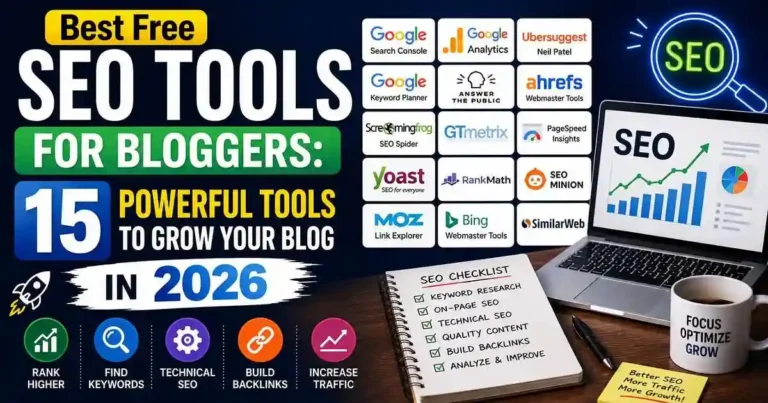
- 15 Best Free SEO Tools for Bloggers
- How to Build an Effective SEO Workflow
- Actionable Tips
- Common Mistakes
- Frequently Asked Questions
- Conclusion
Why SEO Tools Matter
In fact, SEO is not all about the use of keywords within an article.
Some of the ways through which effective bloggers use SEO tools include the following:
• Keyword research
• Intent analysis
• Ranking
• Site Audit
• Improving content
• Detecting broken links
• Tracking backlinks
• Analysing user behavior
The use of the right SEO tool enables you to make decisions based on facts.
What Makes a Good Free SEO Tool?
A valuable free SEO tool should:
- Solve a real SEO problem
- Offer practical features without requiring payment
- Be easy to understand
- Provide reliable data
- Save time during content creation and optimization
Rather than looking for one tool that does everything, combine several free tools to cover different aspects of SEO.
15 Best Free SEO Tools for Bloggers
1. Google Search Console
Ideal For: Checking search performance
Every blogger needs Google Search Console.
It will help you:
• Check keyword rankings
• Measure impressions and clicks
• Submit sitemaps
• Find indexing problems
• Get new pages that have the potential for growth
This is the tool you need, if you can choose only one SEO tool.
2. Google Analytics 4
Best for: Understanding website visitors
Google Analytics reveals:
- Traffic sources
- User behavior
- Popular pages
- Engagement metrics
- Conversion data
These insights help you identify what content performs best.
3. Google Keyword Planner
Best for: Keyword research
Although designed for advertisers, Keyword Planner is still useful for discovering keyword ideas and understanding search demand.
4. Google Trends
Useful for: Determining trend-related subjects
With Google Trends, bloggers can learn about:
• Seasonal trends
• Novel topics
• Regional search interests
• Topic comparisons
It is especially valuable for timely content planning.
5. Ahrefs Free Webmaster Tools
Best for: Website audits
The free version allows you to:
- Audit your website
- Find technical SEO issues
- Analyze backlinks
- Identify optimization opportunities
6. Ubersuggest (Free Features)
Best for: Beginner keyword research
Useful for:
- Keyword ideas
- SEO difficulty
- Content suggestions
- Basic competitor analysis
7. AnswerThePublic
Best for: Content ideas
Instead of guessing what readers want, AnswerThePublic shows real questions people ask online.
Great for:
- FAQ sections
- Long-tail keywords
- Blog ideas
8. Keyword Surfer
Best for: Browser-based keyword research
This Chrome extension displays keyword data directly in Google search results, making research faster.
9. Screaming Frog SEO Spider (Free Version)
Best for: Technical SEO
The free edition checks up to 500 URLs and will find:
• Broken links
• Lack of meta descriptions
• Replicated titles
• Redirects problems
10. SEO Minion
Best for: On-page SEO checks
SEO Minion helps analyze:
- Meta tags
- Headings
- Broken links
- SERP previews
A useful browser extension for quick audits.
11. Grammarly
Best for: Content quality
While not an SEO tool in the traditional sense, Grammarly improves readability, grammar, and clarity—all of which contribute to a better user experience.
12. Yoast SEO (Free)
Best for: WordPress optimization
Yoast helps optimize:
- SEO titles
- Meta descriptions
- XML sitemaps
- Readability
- Internal linking suggestions
13. Rank Math (Free)
Best for: WordPress SEO
Rank Math includes features such as:
- Schema markup
- XML sitemaps
- Content analysis
- Redirection management
- SEO scoring
Many bloggers appreciate its generous free feature set.
14. PageSpeed Insights
Best for: Website performance
Fast websites improve both user experience and search rankings.
PageSpeed Insights analyzes:
- Loading speed
- Core Web Vitals
- Mobile performance
- Optimization opportunities
15. Bing Webmaster Tools
Best for: Additional search visibility
While Google rules the search, Bing can still generate useful traffic.
It also provides SEO analysis, crawl analysis, and keyword suggestions.
How to Build an Effective SEO Workflow
The correct approach would definitely include the application of a number of instruments; however, they would all be applied in such a way that there would be no necessity to pay anything.
Some kind of workflow could look the following way:
1. Google Trends and AnswerThePublic – generating topics.
2. Google Keyword Planner and Keyword Surfer – researching keywords.
3. Grammarly – optimizing content.
4. Rank Math and Yoast SEO – optimizing pages.
5. PageSpeed Insights – testing the pagespeed.
6. Submitting the page on Google Search Console.
7. Analyzing the page through Google Analytics.
Thus, everything would be done, and no costs would appear.
Practical Example
Think about the situation where you write an article named “Best Budgeting Apps for Beginners.”
You can:
• Use Google Trends to validate rising search volume.
• Use Keyword Planner to identify associated keywords.
• Formulate questions through AnswerThePublic.
• Optimize the article using Rank Math.
• Test the speed of loading the page by PageSpeed Insights.
• Track the number of impressions and rankings via Search Console.
Actionable Tips
To get the most from free SEO tools:
- Install Google Search Console immediately.
- Review Analytics every month.
- Perform keyword research before writing.
- Audit your site regularly.
- Update older articles using Search Console data.
- Improve Core Web Vitals.
- Fix broken links promptly.
- Optimize images before uploading.
- Monitor ranking trends over time.
- Focus on long-term improvements rather than quick wins.
Common Mistakes
Here are some mistakes to avoid in your SEO campaign:
Use of too many tools
It won’t help your website get positive results. Choose the tools and learn them.
Technical SEO Naivety
Some factors such as page failures, slow performance, and indexing may cause your website to fail in ranking even though it has quality content.
Optimizing For Search Volume Only
Your website will not rank because you use highly competitive keywords. You should try using long-tail keywords.
Failing to Update Your Content
SEO is an ongoing thing and you have to update the existing blog posts for visibility.
Ignoring User Experience
Google rates sites depending on their user experience.
Frequently Asked Questions
1. What is the best SEO tool which is available at no cost to bloggers?
The best SEO tool is Google Search Console because it helps measure the performance of one’s website on Google searches.
2. Can one optimize his/her website using SEO tools without spending money on purchasing such SEO tools?
Yes. There are some SEO tools that bloggers use to develop their own blogs. Such tools include Google Search Console, Google Analytics, Google Trends, and Page Speed Insights.
3. What is the best SEO tool which I will require to do keyword research?
Some of the best SEO tools which are used to do keyword research include Google Keyword Planner, Keyword Surfer, and AnswerThePublic.
4. How frequently should I conduct an SEO audit?
Conducting a basic audit once a month and a thorough one every three months can help you find any problems that may arise with your rankings.
5. Can SEO tools get me better rankings?
Not necessarily. SEO tools can give you many important insights, but ultimately, it will depend on how useful your content is, as well as website optimization.
Conclusion
The Best Free SEO Tools for Bloggers make it possible to build a successful blog without investing in expensive software. By combining keyword research tools, technical SEO audits, analytics platforms, and performance monitoring, you can make smarter decisions that improve visibility over time.











Your comment will appear immediately after submission.