Introduction
You put in hours of effort into writing an article, publish it, and hope for a great outcome, but…nothing much happens. Your website gets some traffic, but Google simply refuses to show your website.
This is the exact problem that most beginners face. They believe that with great content, magic can happen, but there are quite a few other things that Google takes into account while indexing websites. Some of them include design of your website, loading time of your website, keywords, and a lot more.
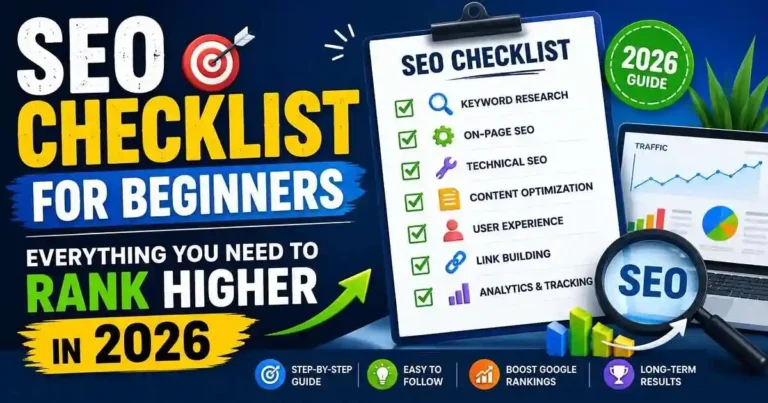
This is the very reason why the SEO Checklist for Beginners has been designed. You don’t have to wonder about what exactly Google wants from you; rather, you will get a checklist to optimize all the key aspects of your website.
Table of Contents
- What Is SEO?
- Why Beginners Need an SEO Checklist
- Keyword Research Checklist
- On-Page SEO Checklist
- Technical SEO Checklist
- Content Optimization Checklist
- User Experience Checklist
- Link Building Checklist
- Common SEO Mistakes
- Final SEO Checklist
- Frequently Asked Questions
- Conclusion
What Is SEO?
Search Engine Optimization (SEO) refers to optimizing your website so that search engines can recognize, index, and rank your pages.
SEO is about having your website discovered through Google, not just through paying for your pages to be displayed through advertisements.
Consider SEO to be something that makes it easy for humans and search engines to recognize your site.
Why Beginners Need an SEO Checklist
There are many things that need to be considered while doing SEO.
If there is no checklist available for SEO, then you might neglect some basic things such as creating proper title tags and image optimization.
Some of the things that can be achieved through checklist are:
• Staying organized
• Preventing mistakes
• Publishing optimized content
• Ranking better
• Gaining traffic organically
You don’t have to try all the SEO tactics you find on the internet; you have to start with the basics.
SEO Checklist for Beginners: Keyword Research
Keyword research will be what every successful SEO campaign starts with.
Take this into consideration before creating content:
What keyword does the searcher enter on Google to find out about this information?
Select One Primary Keyword
One primary keyword per piece of content.
Examples:
Primary Keyword:
SEO Checklist for Beginners
Find the Related Keywords
Natural integration of related keywords.
Examples:
• SEO tips for beginners
• SEO checklist 2026
• Beginner SEO checklist
• Google SEO basics
• Learn SEO
Determine the Searcher’s Intent
People looking for this specific keyword want:
• Useful checklist
• Simple actions to undertake
• Beginner-friendly actions
• Steps to take
SEO Checklist for Beginners: On-Page SEO
On-page SEO is the simplest place to get better since you have total control over it.
Optimize Your Title
Don’t exceed 60 characters.
Put your main keyword at the start.
Example:
Beginners’ SEO Checklist: Ultimate Guide
Craft a Great Meta Description
Your meta description must encourage clicking.
Make sure that you include:
• Main Keyword
• Benefit
• Natural Language
Utilize Proper Headings
The importance of structure.
Use:
• H1 once
• Several H2s
• H3 as needed
Don’t skip headings.
Create a Clean URL
Rather than:
example.com/post?id=456
Use:
example.com/seo-checklist-for-newbies
Include Internal Links
Link relevant articles.
For instance:
If you have a post on keyword research, add a link to that from this article.
Add External Links
Link only to trustworthy sources when necessary.
This increases credibility and helps readers explore additional information.
Optimize Images
Every image should have:
- Descriptive filename
- ALT text
- Proper compression
- Appropriate dimensions
Example filename:
seo-checklist-for-beginners.jpg
ALT text:
Person following an SEO checklist to optimize a website for Google rankings.
Technical SEO Checklist
Despite its perceived complexity, all that the beginner needs to understand SEO is just a few simple principles.
Website Speed
Slow websites lose business.
Speed up your website by:
• Image optimization
• Caching
• Disabling excess plugins
• Good hosting service
Make Your Website Mobile-Friendly
Today’s users surf the web using their mobile phones.
Testing:
• Readability of fonts
• Button spacing
• Responsiveness
• Loading time
Use HTTPS
Secure websites gain the trust of visitors.
Google prefers HTTPS over HTTP websites.
Upload Your XML Sitemap
Upload your XML sitemap using Google Search Console.
This will help Google find your new pages.
Fix Your Broken Links
Fixing broken links is very important for your site.
Perform a website audit and delete all the broken pages.
Content Optimization Checklist
Publishing content isn’t enough.
It also needs to satisfy readers.
Answer Questions Clearly
Avoid unnecessary filler.
Every section should answer a real question.
Keep Paragraphs Short
Large text blocks discourage reading.
Aim for:
- 2–4 sentence paragraphs
- Plenty of white space
Use Lists
Lists enhance readability.
Example:
Prior to publication, ensure that:
• Title is optimized
• Meta description included
• Images are compressed
• Links are internalized
• Keyword is used appropriately
Update Outdated Blog Posts
SEO is not a one-off process.
Update your content through:
• Update statistics
• Add examples
• Better formatting
• Add to old parts of the blog post
User Experience Checklist
Ranking algorithm of Google determines the sites liked by visitors.
Here are some things that you should take care of in order to ensure a good experience of your visitors:
• Page loading time
• Site navigation
• Readability of the fonts
• Formatting
• Visuals
• Pop-up windows
Consider whether the page deserves to be visited by the visitors.
Yes, and you are right!
Link Building Checklist
The use of backlinks remains one of the most important ranking factors at Google.
What matters here is quality rather than quantity.
It is important to focus on:
• Guest posting
• Publishing useful content
• Conducting some original research
• Creating shareable infographics
• Bonding with your industry peers
There is no point in purchasing backlinks.
This practice will mostly bring you problems.
Common SEO Mistakes Beginners Make
Several websites are collapsing because of some minor mistakes.
Here are some examples:
• Bad management of keyword targets in the article
• Posting poor-quality content
• Failing to think about search intent
• Non-optimization of images
• Title tag repetition
• Lack of internal linking
• Keyword stuffing
• Mobile optimization neglect
• Needing no updates to older posts
• Hoping for quick rankings
SEO succeeds when there is consistency.
Final SEO Checklist Before Publishing
Use this quick checklist every time you publish.
✅ Primary keyword in title
✅ Primary keyword in first paragraph
✅ SEO-friendly URL
✅ Compelling meta description
✅ Proper heading structure
✅ Optimized images
✅ Internal links
✅ External links where appropriate
✅ Mobile-friendly design
✅ Fast loading speed
✅ Grammar checked
✅ Valuable content
Frequently Asked Questions
1. What is the time duration in which SEO will show its effects?
SEO usually begins to show its effects after 3-6 months depending upon the elements like competition level, content quality, and authority of the website.
2. Is SEO free of cost?
Yes, SEO is absolutely free through several SEO techniques that include free SEO tools for keyword research, content optimization, and Google Search Console.
3. How often should I update my SEO checklist?
Review your checklist every few months because Google’s algorithms and SEO best practices continue to evolve.
4. Do I need technical knowledge to do SEO?
No. Beginners can achieve excellent results by learning the fundamentals first and gradually expanding into more advanced topics.
5. What’s the biggest SEO mistake beginners make?
Trying to rank for highly competitive keywords immediately instead of targeting specific, lower-competition search terms.
Conclusion
Using the right SEO Checklist for Beginners will make you avoid wasting several months in frustration. In order not to include all the fads of SEO, you should concentrate on basic principles such as choosing the right keywords, making sure that the content is high-quality, improving page experience, and having the best website’s technical qualities.
Remember that SEO requires patience. Improvement on regular basis, constant updating of content, and helping readers will definitely provide you with better results compared to those obtained via tricks. Using this checklist for each page published, you will be able to create a website that can be trusted by both people and search engines.













Your comment will appear immediately after submission.