Introduction
Let’s say you have been hearing everything about artificial intelligence from people all around, but every tip you come across leads you to some complex application loaded with tons of options you cannot grasp. After subscribing to such application, spending some time figuring out how it works, and failing, you simply drop out of the process.
Don’t worry. This is quite a typical case.
The great thing is that now you no longer need any advanced technical background to use AI. There is plenty of software on the market designed specifically for beginner users. These applications provide a user-friendly interface, templates, and even free plans.
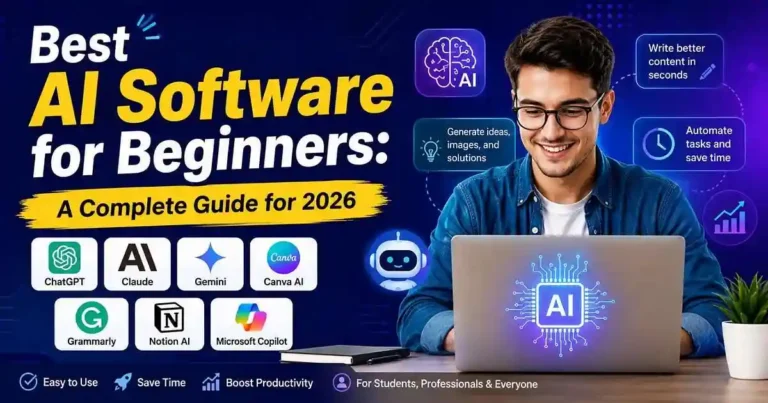
In this article, we will find out what the Best AI Software for Beginners is, for whom it is best, and what the pros and cons of each of them are.
Table of Contents
- Why Beginners Should Use AI Software
- What Makes an AI Tool Beginner-Friendly?
- Best AI Software for Beginners
- How to Choose the Right AI Tool
- Common Mistakes Beginners Make
- Frequently Asked Questions
- Conclusion
Why Beginners Should Use AI Software
AI technology doesn’t belong only to programmers and large corporations nowadays. AI software assists students, freelancers, entrepreneurs, marketers, writers, and people working at offices with completing their daily assignments more quickly.
A high-quality AI can be used to:
• Compose emails in minutes
• Capture long pieces of text
• Think up new concepts
• Create social media content
• Create images
• Translate languages
• Organize notes
• Write better
• Save multiple hours weekly
AI does not replace your abilities but serves as an intelligent assistant who will make your everyday assignments easier to perform.
For beginners, one of the main benefits of AI software is practical experience. Modern AI applications provide instructions, templates, and suggestions that help the user learn how to use AI in practice.
What Makes an AI Tool Beginner-Friendly?
However, there are also some artificial intelligence tools that are intended for experienced individuals and do not have such capabilities.
Below are some qualities of software that is created for inexperienced people:
1. Intuitive Interface
It helps not to make mistakes because it is important to learn how to operate all functions of the system and not spend a lot of time for it.
2. Trial Version
Any good AI tool has a trial version that lets you try it and decide whether you want to buy a premium version.
3. Predefined Templates
With predefined templates, you will be able to receive quick answers for your writing, presentations, emails, resumes and other tasks.
4. Quick Results
The best AI software gives quick output without complex settings before using it.
5. High Precision
All artificial intelligence tools have some problems but decent AI applications for beginners provide accurate output that requires only minor editing.
Best AI Software for Beginners
1. ChatGPT
If you are searching for a one-stop shop for all kinds of AI tools, then ChatGPT is one of the most accessible platforms for you.
This platform can assist you with:
• Writing articles
• Writing emails
• Solving problems
• Clarifying complex subjects
• Idea generation
• Making study notes
• Code writing
• Packing plans
• Improving grammar skills
Pros
• Really user-friendly
• Can do many different tasks
• Quick responses
• Exceptional free version
• The best learning partner
Cons
• Requires a premium subscription for some advanced tools.
• You need to double-check any content written by AI before using it.
Best For
• Students
• Bloggers
• Freelancers
• Small business owners
• Office professionals
• Content creators
2. Claude
Within a blink of an eye, Claude managed to position itself among the top reliable assistants for those individuals who require such services during the process of reading, writing and analyzing information. This platform differs from other similar ones due to its amazing ability to provide excellent responses, which are clear and understandable.
One of the most valuable assets for newcomers is the fact that it won’t confuse or overwhelm you. Claude will provide you with answers to your questions in simple English, will be able to summarize your uploaded documents and will assist you in writing and all this without giving you complicated instructions.
What You Can Use Claude For
• Blog posts and reports writing
• PDF and other documents summarization
• Business idea generation
• E-mail editing
• Learning new topics
• Research assistance
Pros
• Neat and convenient interface
• Quality writing assistance
• Excellent document summarization
• Conversational answers
Cons
• Advanced features require paid subscription.
• Limited access to real-time information on the Internet depending on the plan you have chosen.
Best For
• Writers
• Researchers
• Students
• Professionals working with documents
3. Google Gemini
Gemini will definitely fit your preferences if you are already using Gmail, Google Docs or Google Drive.
One of the major advantages of the tool is its compatibility with Google products. There is no need to launch several different applications to use AI — do it directly through the ones you already use.
What Gemini can help you to do
• Create an email
• Summarize documents in Google Docs
• Plan a trip
• Brainstorm ideas
• Ask questions
• Create study materials
Pros
• Easy integration with Google Workspace
• Convenient design
• Good free version
• Pretty useful for productivity
Cons
• To get premium functions you need to subscribe to Google AI.
• The output may be not perfect depending on the goal.
Who will find it useful
• Gmail users
• Students
• Office workers
• Android users
4. Canva AI
The majority of new designers tend to believe that one should know how to use costly software in order to make good graphic design. It is Canva AI’s job to convince us that this is not true at all.
Using Canva AI you can create designs like presentations, graphics for social media, posters, CVs, logos, and other kinds of designs by means of text instructions.
For instance, you may say:
“I need to create a modern design for marketing a coffee shop on Facebook.”
And Canva will produce the professional design within seconds, ready to edit.
Features
• Magic Design
• AI Image Generator
• Magic Write
• Background Remover
• Presentation Creator
Pros
• Incredibly easy to use
• Massive amount of templates
• Magnificent free version
• The best option for people who don’t know anything about designing
Cons
• Collection of templates for premium users is limited to Canva Pro only.
• Free version cannot do everything with AI image generator.
Best For
• Bloggers
• Small business owners
• Social media experts
• Students
• Freelancers
5. Grammarly
Most people usually think that Grammarly only checks your spellings. It has become an AI writing tool by now.
Besides giving you accurate grammar, it provides you with the accurate words, tone, and even assists you in rewriting your sentences.
Can you imagine how helpful it could be when writing an extremely important email to your client, as Grammarly would help your email become more professional while keeping your meaning intact.
Features
• Grammar Check
• Tone Suggestions
• Sentence Rewrite
• AI Writing Assistance
• Vocabulary Improvements
Pros
• Usage is extremely easy
• Compatible with all websites and applications
• Useful for business communication
• Time saving when editing your work
Cons
• The premium version charges some money
• It is only useful for writing
Best for
• Students
• Bloggers
• Business Professionals
• Email Communications
6. Notion AI
If you find it difficult to keep your notes in order, Notion AI will make everything easier for you.
No need for manual page formatting, summarizing, and making notes of meetings – Notion AI will take care of most of that.
For beginners, this means that you will spend less time organizing information and more time putting it into action.
You Can Use It For
• Meeting summaries
• Project planning
• Ideas brainstorming
• Tasks management
• Study notes
• Content planning
Pros
• Note-taking + AI
• Excellent productivity features
• Great time-saving tool
• Easy collaboration
Cons
• Takes some time to master the Notion workspace.
• AI features require a paid plan.
Best For
• Students
• Project managers
• Teams
• Content creators
7. Microsoft Copilot
If your everyday routine is filled with Microsoft Word, Excel, PowerPoint, and/or Outlook, then Microsoft Copilot may become your productivity assistant.
Without switching to another platform, you use familiar applications from Microsoft while the assistance of artificial intelligence automates your everyday processes.
Some examples are:
• Creation of PowerPoint presentations based on your document
• Summary of long Word files
• Analysis of data in Excel
• Generation of e-mails in Outlook
• Meeting summary generation
Pros
• Integration with Microsoft Office at a high level
• Very good productivity functions
• Familiar interface for users of Office
Cons
• The best usage needs Microsoft 365 subscription.
• Some functions are available only in business plans.
Best for
• Office workers
• Business teams
• Excel users
• Businessmen
Quick Comparison Table
| AI Tool | Best For | Free Plan | Difficulty |
| ChatGPT | General-purpose AI | ✅ Yes | Very Easy |
| Claude | Writing & research | ✅ Yes | Very Easy |
| Google Gemini | Google Workspace | ✅ Yes | Easy |
| Canva AI | Graphic design | ✅ Yes | Very Easy |
| Grammarly | Writing improvement | ✅ Yes | Very Easy |
| Notion AI | Notes & productivity | Limited | Easy |
| Microsoft Copilot | Microsoft Office | Limited | Easy |
How to Choose the Right AI Software
It being exposed to such a huge number of AI-based solutions, it becomes quite understandable that one wishes to get them all. However, the truth is, for most people who are only beginning their way into the domain, one-two solutions would be enough to complete daily tasks.
When looking for AI service provider, one should ask oneself the following questions:
1. How can you use AI’s help?
Every AI solution has its own purpose.
• Article and e-mail writing – ChatGPT or Claude
• Presentations and graphics creation – Canva AI
• Grammar checking – Grammarly
• Notetaking and project management – Notion AI
• MS Office tasks – Microsoft Copilot
• Google Workspace tasks – Google Gemini
2. Use the Free Version First
Most popular AI software provides free versions which are quite sufficient for beginners.
Rather than immediately investing in an account, give yourself a couple of weeks of free exploration to see if the software is suitable for you.
3. Don’t Forget About Ease of Use
Even though you might need something strong, AI software which is hard to use may not be your best option.
Pay attention to the software which has:
• a user-friendly dashboard;
• tutorials;
• suggestions;
• navigation;
• fast responses.
4. Think About Integration
In case you usually work with Google Docs or Microsoft Office, try to pick up AI software which will allow you to integrate with these apps.
Practical Examples
There are several cases when a novice can leverage the potential of AI in his/her daily routine.
Example 1: College student
The student needs to prepare himself/herself for the approaching test.
Instead of spending many hours in reading 40 pages of the book over and over again, he/she contacts ChatGPT or Claude to get the summary and explanation of hard passages.
The student studies the subject matter, but now he/she has got more time.
Example 2: Blogger
The novice blogger needs to find the topic for his/her next blog post.
Instead of thinking what topic to choose, the blogger turns to an AI that will give him/her a suggestion on the topic and outline the text and headings.
Example 3: The Owner of a Small Business
A businessman who has a bakery business and wishes to offer some discounts on the weekend.
He can easily design a good-looking poster in seconds with the help of Canva AI and write down the caption for his post using ChatGPT.
It only takes him an hour to complete a task which takes just seconds now.
Example 4: An Office Worker
There is an office worker who gets lots of emails before going to an important meeting.
He does not have to read all of those emails but can summarize them in seconds with Copilot by Microsoft or Gemini.
Actionable Tips for Beginners
These are a few tips that may come in handy if you have just started your journey in the field of artificial intelligence.
How to Create a Good Prompt
You need to remember that the artificial intelligence would give you results depending on what you ask of it.
Don’t say,
“Write an article.”
Say,
“Write a 1,500-word guide about budgeting for college students.”
Remember Always to Verify the Correctness of the AI Generated Answers
Sometimes it is possible that the information provided by the AI is either incorrect or outdated.
As regards the AI generated answers, it is necessary to:
• verify whether the information provided is correct;
• prove the correctness of the statistical data;
• check whether there are any grammar or stylistic errors;
• state your opinion;
• present your professional information.
The AI will be able to become your assistant but it is not able to make a decision for you.
Work with Prompts More Often
The more often you work with the AI, the more experienced with it you become.
Make various experiments using different prompts and observe how the AI answers. Then make further experiments. At times it turns out that experiments bring better results than repeated use of prompts.
Never Give Your Personal Information
Do not give the following personal information:
• passwords;
• information regarding your bank accounts;
• your ID number;
• information about your business;
• information about your clients.
The AI is a productivity tool, not a storage of your personal information.
Common Mistakes Beginners Make
Avoiding all these problems becomes possible when you learn from the mistakes made by others.
1. Perfect Answers
AI is indeed a boon, but there is no perfection in it.
This tool is to be used as a starting point, and further modification can be done based on requirements.
2. Multiple AI tools
Beginners make the mistake of signing up to ten different websites within one week.
They should focus only on using one or two at first and then use other websites if required.
3. Untouched AI Content
Use of AI content as it is might result in errors and repetitions in the answers.
Modification is a must before submitting the work.
4. Ignoring Privacy
The submission of private documents and personal information into AI software without first considering the privacy settings may put you at risk.
Review the privacy policies carefully and use discretion.
5. Choosing Popular Software Over Needs
The most popular AI software does not necessarily fit you.
Your needs should determine your actions.
Frequently Asked Questions (FAQs)
1. What software will be best for beginners in AI?
Maybe it depends on personal preferences. The most suitable one is ChatGPT, but Canva AI should be considered if designing is required. Text users will benefit from using Grammarly as the best AI software, and if someone works with Google services, the perfect choice would be Gemini.
2. Is it free for beginners?
Sure, it is. The most popular AI software provides free access to all basic features.
3. Do you need technical knowledge to use AI technologies?
Certainly not. Any beginners’ AI software has a simple interface and does not demand any programming abilities. One just has to know how to browse the web.
4. Is it safe for me to use AI software?
Yes, but I would advise you to ensure that you use it correctly. In any case, it is wise to ensure that you do not provide your personal information, and most importantly, you know the privacy policy of the websites where your personal information will be provided.
5. Which AI software do you recommend me to use at first?
If you are not sure about which one to use, I would recommend you use ChatGPT because you will be able to do writing, thinking, learning, planning, etc.!
Conclusion
The selection of Best AI Software for Beginners may not be as hard as many people think. It really comes down to what you would like to do, be it content creation, graphic design, project management, or boosting productivity.
One does not need to use all possible software available; instead, one needs to choose any one software and understand what it does. Then, as one gains experience, one can move on to add more AI software.










Your comment will appear immediately after submission.