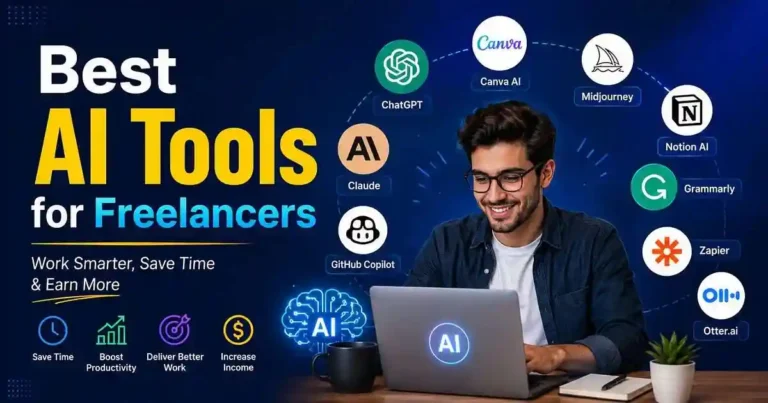
Consider having your project completed two hours ahead of schedule without compromising its quality. Rather than spending your evening editing grammar, posting social media updates, and organizing customer notes, AI takes care of the monotonous tasks as you concentrate on what only needs your personal touch.
This is precisely the reason why the Best AI Tools for Freelancers became an indispensable tool and not just an option for freelancers. They don’t replace professional capabilities; on the contrary, AI assists freelancers to create high-quality projects and handle increasing numbers of customers without exhaustion.
Whatever field you specialize in—writing, design, development, marketing, VA services, or consulting—the appropriate AI tools can help you become more productive, save time, and increase earnings within the same working hours.
Why Freelancers Should Use AI
Apart from writing various papers for customers, freelancing entails writing responses to emails, preparing proposals, booking appointments, conducting competitor analysis, editing written papers, making invoices, and advertising their services every day.
But none of these tasks bring money.
That’s when AI steps in to perform all these repetitive tasks and leave the freelancer time to deal with paying jobs.
Here are some of the key benefits:
- Timely project completion
- Top-notch content creation
- Better communication
- Easier editing
- Simple client management
- Efficient marketing
- Improved work-life balance
As a result, freelancers manage to complete good projects in less time.
How AI Improves Freelance Income
AI is not used to replace creativity.
Efficiency is what is gained from it.
Here’s how:
A freelance writer, who writes two stories per day, can write three stories with the help of AI research and editing.
A graphic designer can come up with several designs within minutes rather than hours.
A web developer can automatically code while concentrating on coding problems.
An extra hour saved every day creates space for another client or more personal time.
Best AI Tools for Freelancers
1. ChatGPT
Ideal for:
- Writing
- Ideas
- Research
- Customer communication
- Presentation creation
ChatGPT is perhaps the most efficient AI helpers for freelancers at the moment.
It helps with idea formation, summary writing, enhancing writing skills, email composition, brainstorming, and technical troubleshooting.
Not a replacement of skills but a speed up of thinking process.
Ideal for:
- Content writers
- Bloggers
- Marketing freelancers
- Developers
- Consultants
- Virtual assistants
2. Claude
Ideal for:
- Large writing
- Document analysis
- Business presentations
- Large project management
Claude shines while handling large documents and maintaining context through long discussions.
This is particularly ideal for freelancers handling contracts, research papers or any other customer document.
3. Canva AI
Used For:
- Social Media Graphics Creation
- Presentation Graphics Creation
- Marketing Graphics Creation
- Clients’ Graphics Creation
Not all freelance professionals have the capability of creating graphics.
It becomes very convenient to create professional graphics with the help of Canva AI using templates, AI graphics and editing tools.
With Canva AI, one can create professional graphics even without knowing anything about graphic designing.
4. Grammarly
Used For:
- Editions
- Grammatical Errors Detection
- Professional Communication
A small error in grammar might destroy your client’s trust in you.
Grammarly will help in detecting mistakes, making your texts more readable and professional emails.
This application is most suitable for international freelancers.
5. Notion AI
Good for:
- Project management
- Notes
- Client documentation
- Knowledge management
It becomes difficult to track different projects when your freelance career expands.
Notion AI is able to summarize the minutes of the meeting, manage the project data, create action points, and plan.
6. Midjourney
Good for:
- Concept art
- Marketing visuals
- Inspirational visuals
- Illustrations
Freelancers in creative professions can generate visual concepts quickly prior to making their design.
The idea generation gets quicker this way.
7. GitHub Copilot
Good for:
- Software developers
- Web developers
- Automations
It takes away the necessity of writing the same code again and again because GitHub Copilot generates function suggestions, detects bugs, and speeds up the process.
8. Descript
Good for:
- Editing podcasts
- Video editing
- Voiceovers
- Content creation
Editing videos manually is always time-consuming.
The Descript application allows freelancers to edit videos using the text transcript of the video.
9. Perplexity AI
Good for:
- Researching
- Market research
- Gathering facts
Often, freelancers have to do some research about the industry before working with clients.
Perplexity delivers information in summary form, with sources of information.
10. Zapier AI
Good for:
- Workflow automation
- Business automation
- Client Onboarding
Zapier connects several apps.
These include:
- Automatically downloading email attachments
- Invoicing
- Mailing welcome emails
- Updating project boards
- Organizing client information
11. Otter.ai
Used For:
- Transcription of the session
- Client Interview
- Note Taking
Rather than writing down everything in the session, Otter will help in the process of recording and transcription of the conversation.
Then, the freelancer only has to focus on whatever else needs to be done without having to remember all these details.
12. Loom AI
Used For:
- Client Communication
- Tutorials
- Feedback
Rather than sending out an email explaining all these changes, one can record the video and then have Loom help in the transcription and summarization of the video.
AI Tools Comparison Table
| AI Tool | Primary Use | Best For | Pricing |
|---|---|---|---|
| ChatGPT | Writing, Research, Brainstorming | All freelancers | Free/Paid |
| Claude | Long-form Writing, Document Analysis | Writers, Consultants | Free/Paid |
| Canva AI | Graphic Design, Social Media | Designers, Marketers | Free/Paid |
| Grammarly | Editing, Grammar Checking | All freelancers | Free/Paid |
| Notion AI | Project Management, Notes | Virtual Assistants | Free/Paid |
| Midjourney | Concept Art, Illustrations | Designers, Creatives | Paid |
| GitHub Copilot | Coding, Development | Developers | Paid |
| Descript | Video/Audio Editing | Video Creators | Paid |
| Perplexity AI | Research, Fact-Finding | Researchers, Writers | Free/Paid |
| Zapier AI | Workflow Automation | Business Owners | Paid |
| Otter.ai | Transcription, Note-Taking | Consultants, VAs | Free/Paid |
| Loom AI | Video Communication | All freelancers | Free/Paid |
How to Choose the Right AI Tool
Not every freelancer needs every AI platform.
Choose tools based on your daily work.
| Freelancer Type | Recommended AI Tools |
|---|---|
| Writer | ChatGPT, Grammarly, Claude |
| Graphic Designer | Canva AI, Midjourney |
| Developer | GitHub Copilot, ChatGPT |
| Video Editor | Descript, Loom AI |
| Virtual Assistant | ChatGPT, Zapier AI, Notion AI |
| Digital Marketer | Canva AI, ChatGPT, Perplexity |
Start with one or two tools before expanding your workflow.
Practical Example
Imagine that you are a freelance content writer.
Your work process could include the following steps:
- Topic research via Perplexity.
- Ontology development with ChatGPT.
- Article writing by yourself.
- Grammar check through Grammarly.
- Creating featured images via Canva AI.
- Client file organization on Notion.
- Completing the project.
AI helps with all the stages of the process, not replaces writing itself.
Actionable Tips
To optimize from AI:
- Learn the skill of crafting prompts rather than using ready-made questions.
- Always validate information generated by AI.
- Customize AI-generated content before delivering it to customers.
- Keep customer information confidential.
- Use a variety of AI tools rather than one tool alone.
- Keep enhancing your professional skills together with AI.
The successful freelancers make optimal use of AI by combining both automation and human discretion.
Common Mistakes to Avoid
Many freelancers love AI technology but don’t know how to use it properly.
Below is the list of things that you should never do while working with AI technology:
- Paraphrasing AI content without making any corrections
- Ignoring facts mentioned in your content
- Selling sensitive data related to your clients
- Trying to use too much software at once
- Begging somebody else to perform the job for you
- Having no personal style at all
After all, your clients pay for your knowledge, skills, and decision-making abilities, not for AI technology.
Frequently Asked Questions (FAQ)
What is the best AI for freelancers?
ChatGPT is still one of the most multifunctional AI as it enables freelancers to write, generate ideas, code, market and communicate with customers.
Could AI replace the work of freelancers?
No, because while AI automates repetitive tasks, there are such qualities as creativity, strategy, skill and problem solving that are required from clients.
Could freelancers get by using free AI packages?
The majority of freelancers can do that at the beginning of their activity. But if their income grows, they will be able to get more from premium packages.
What is the best AI for freelance writers?
Freelance writers have to combine ChatGPT, Claude, Grammarly and Perplexity.
Is it ethical to use AI as a freelancer?
Yes, as long as you remember to be truthful when it is necessary, protect your clients’ privacy and ensure high quality of generated by AI texts.
How can I start using AI as a freelancer?
Start with one or two free tools like ChatGPT and Grammarly. Learn how they work, practice writing effective prompts, and gradually integrate them into your workflow.
Can AI help me get more freelance clients?
Yes. AI can help you write better proposals, optimize your portfolio, research potential clients, and create marketing content to attract more business.
Conclusion
“The Best AI Tools for Freelancers” are not magic wands to ensure success but rather productivity tools to make professionals more effective. Through automation of routine procedures, improvement of communication, research, and creation, AI will enable freelancers to focus on doing something really valuable for their customers.
Instead of using all newly launched platforms at once, use one or two solutions that will be helpful in solving your everyday problems. When your freelance business begins to grow, you can start developing your own AI-based workflow step by step.








Your comment will appear immediately after submission.