Introduction
Imagine putting in six hours of video editing, an hour on the design of a thumbnail, and still struggling to come up with a title that will attract clicks. However, upon publishing, the video receives very few views regardless of all the hard work put in.
This is a common problem that most creators face. It is not easy to create high-quality content constantly, considering that everything from research to scripting and editing, SEO optimization, thumbnailing and engaging the audience has to be done by just one individual.
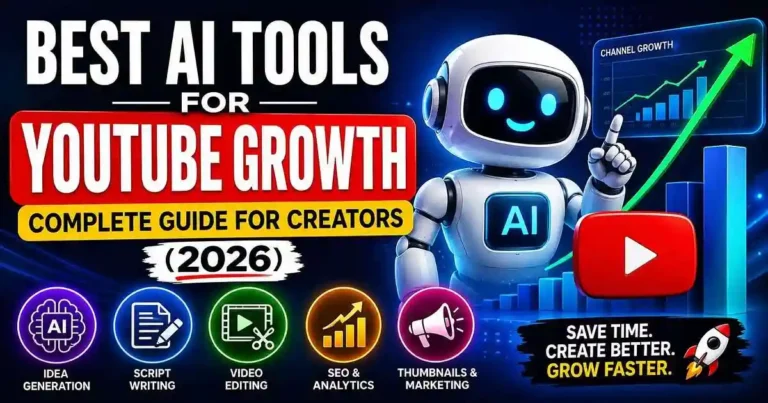
Fortunately, artificial intelligence is now a helpful assistant to creators rather than a competitor. The Best AI Tools for YouTube Growth allow automating repetitive processes, generating new ideas, improving the quality of content production and saving more time for creative tasks.
The brightest creators are not using AI to create videos for them but rather to create better videos quicker.
In this article, you will find out what AI tools are worth using and what tasks they perform best.
Table of Contents
- Why AI Matters for YouTube Growth
- What Makes an AI Tool Worth Using?
- Best AI Tools for YouTube Growth
- How to Build an AI-Powered YouTube Workflow
- Practical examples
- Actionable growth tips
- Common mistakes to avoid
- 5 SEO-friendly FAQs
- Conclusion
Why AI Is Changing YouTube Content Creation
Previously, in order to make videos of professional quality, one needed expensive software and a lot of working hours.
These days, AI technology can aid in all stages of content creation:
• content research
• ideas generation
• scriptwriting
• video editing
• caption making
• thumbnail designing
• SEO optimization
• content translation
• long video transformation into Shorts
What does it mean? It means that one will spend less time on content creation and can maintain consistency, which is one of the most essential things for success on YouTube channels. One can spend only half of the time for creation of the same quality content.
What Makes an AI Tool Worth Using?
Not all AI products merit a spot in your workflow process.
The best products actually help you solve problems rather than complicate things.
Before adopting an AI product, ask yourself if it:
• Saves you time
• Enhances video quality
• Contributes to getting higher click-through rates
• Aids in improving audience retention
• Reduces tedious tasks
• Fits into your workflow process
• Provides value for its cost
An hour saved on each video is many hours saved annually.
Best AI Tools for YouTube Growth
1. ChatGPT
If you’re a YouTuber, ChatGPT is one of the most flexible AI assistants that could help you with your work.
Even though ChatGPT can’t produce an entire video on its own, you can utilize ChatGPT as a creative assistant.
Here is what ChatGPT can do for you:
• Create video ideas
• Write outlines
• Produce YouTube videos
• Rewrite introductions
• Concoct stories
• Write video titles
• Write video descriptions
• Write timestamps
• Write community posts
Useful for
Content creators creating educational, financial, technical, business, lifestyle, and tutorial videos.
Example
Don’t say:
“Produce a YouTube video.”
Say:
“Produce a 10-minute YouTube video about compound interest for beginners.”
2. Claude
Claude excels at handling long-form content.
If you produce educational or documentary-style videos, it can organize large amounts of information into logical sections without losing clarity.
Many creators use Claude to:
- Summarize research
- Improve script flow
- Rewrite lengthy drafts
- Maintain a consistent tone
- Simplify complex topics
Its strength lies in producing natural, readable content rather than short marketing copy.
3. Gemini
Gemini works especially well for creators who rely on Google services.
Because of its connection with Google’s ecosystem, it can help with:
- Research
- Brainstorming
- Content planning
- Organizing information
- Finding supporting ideas
- Creating educational content
If your workflow already includes Google Docs, Drive, or Workspace, Gemini fits naturally into your process.
4. Descript
Video editing is one of the biggest bottlenecks for YouTubers.
Descript changes that by allowing you to edit a video simply by editing its transcript.
Key features include:
- Remove filler words automatically
- AI voice cleanup
- Background noise reduction
- Automatic captions
- Screen recording
- Podcast editing
- Text-based video editing
This dramatically reduces editing time, especially for talking-head videos.
Ideal For
- Tutorials
- Podcasts
- Interviews
- Educational videos
- Online courses
5. Opus Clip
Long form video clips can create many Shorts with proper editing.
Opus Clip applies AI technology that detects the most interesting parts of your video and turns them into short form video clips.
Features include:
• Auto clip generation
• AI generated subtitles
• Auto-framing
• Moment analysis
• Optimized for social media
This is an amazing tool for creators who want to grow fast with short form video content.
6. Canva AI
A good thumbnail might be all that you need to get people to click on your video.
Canva AI allows content creators to create their own professional quality thumbnails, even when they lack the graphic designing skills necessary.
Some of the things that Canva AI can help you with are:
• Thumbnail creation
• AIGenerated images
• Background removal
• Magic Design tips
• Text enhancement
• Brand guideline compliance
Having a good thumbnail with a suitable title is key to getting many clicks.
7. VidIQ AI
For those looking to increase traffic by optimizing their YouTube SEO, the VidIQ AI is one of the most useful AI tools out there.
Rather than making guesses on what users are searching for, this tool makes use of trends, keywords, and competitors to provide users with intelligent publishing choices.
Features
• Video ideas based on AI
• Keyword research
• SEO score check
• Title suggestions
• Competitive analysis
• Daily content ideas
• Trends
Best Suited For
YouTube creators that wish to boost their ranking as well as uncover topics that have high search volume.
Practical Scenario
Assuming that you own a tech channel, rather than posting any common video on the subject of smartphones, you could see using VidIQ that people are actually searching for:
• Budget smartphones under $300
• AI in Android phones
• Camera difference between iPhone and Android
8. TubeBuddy AI
Another extremely important software that is made specifically for improving content on YouTube.
Whereas VidIQ concentrates on keyword and analytic usage, TubeBuddy helps you to organize and optimize your channel on YouTube.
Features
• Title suggestions powered by AI
• Thumbnail testings
• Keyword explorer
• Bulk video editing
• Tags suggestions
• SEO optimization
• A/B testing for thumbnails
Why Is It Important?
A small tweak can significantly raise your CTR.
TubeBuddy will help you test things and not just rely on your guesses. And if there are a lot of videos on your channel, TubeBuddy will assist you in editing their metadata.
How to Build an AI-Powered YouTube Workflow
Working with several AI systems at once tends to be more fruitful than relying solely on just one AI system.
This is how you can do that:
Step 1: Research
Thanks to ChatGPT, Gemini, or Claude, you will be able to:
• Feel the pulse of the topics
• Do research on your topic
• Organize your information
• Feel out what questions your audience might have
Step 2: Scriptwriting
Thanks to ChatGPT or Claude, you will need to write:
• The video outline
• The scripts
• The hooks
• The calls to actions
Edit your scripts so that they fit your character.
Step 3: Create the Video
As it has to be natural, the process will have to be kept simple by you only. While the video will be created through the use of AI, it will be you who will be able to convince the viewers.
Step 4: Accelerate Video Editing
Through Descript you can do the following:
• Reduce fillers
• Create captions
• Improve audio
• Edit videos properly
Step 5: Create Thumbnails
Through the use of Canva AI you can do the following:
• Create visuals for thumbnails
• Remove background
• Arrange elements
• Create consistently
Step 6: Optimize YouTube SEO
Using either of the two tools, VidIQ or TubeBuddy you will be able to do the following:
• Create titles
• Find keywords
• Create descriptions
• Competitor analysis
Step 7: Repurpose the content
Upload the video on Opus Clip to create YouTube Shorts.
Practical Examples
Example 1: Educational Channel
A creator publishing programming tutorials can:
- Use ChatGPT to explain coding concepts.
- Edit lessons with Descript.
- Create clean thumbnails in Canva AI.
- Optimize keywords using VidIQ.
This reduces production time while maintaining quality.
Example 2: Finance Channel
A personal finance creator can:
- Research investment topics with Gemini.
- Structure scripts using Claude.
- Optimize video SEO through TubeBuddy.
- Turn long tutorials into Shorts with Opus Clip.
The result is more consistent publishing and greater visibility.
Example 3: Lifestyle Vlogger
A travel or lifestyle creator can:
- Brainstorm content ideas with ChatGPT.
- Edit vlogs in Descript.
- Design attractive thumbnails in Canva AI.
- Repurpose highlights into Shorts using Opus Clip.
Actionable Tips for Faster YouTube Growth
The potential of AI can unfold in case of combining it with good content marketing.
Here is a list of useful recommendations that may prove valuable when growing your channel:
• Keep to publishing and do not go for the perfect one.
• Do not employ AI for writing, but use it for researching and editing.
• Good hook in the first 15-30 seconds should attract your viewers’ attention.
• Make sure to make thumbnails before uploading your video.
• Find out which of the videos keep viewers interested for a longer period.
• Change titles and thumbnails of your old videos.
• Try Shorts to connect with new audiences.
• Frequent monitoring of YouTube Analytics can reveal many insights.
Little efforts made regularly will bring significant results.
Common Mistakes to Avoid
Even the most advanced AI software does not guarantee a proper content strategy. Some common pitfalls to be avoided:
AI Content Without Editing
The publication of the scripts generated by AI software often leads to boring and repetitive videos. Try to include your personal comments and examples.
Ignoring the Intent of Your Audience
If the video is interesting for yourself, but not for the viewer, the potential growth will be limited. Study the things the audience actively looks for.
Overusing Visual Effects in Videos
The addition of many animation elements does not necessarily improve the engagement rate. Valuable information often plays the decisive role.
Not Optimizing Your Videos Properly
An excellent video may be ineffective due to bad optimization in its title, description, or keywords.
Using Only One Tool
Each AI tool has its own strengths. The combination of research, editing, design, and SEO tools is more efficient.
Frequently Asked Questions
1. What is the best tool for growing on YouTube?
There is no one way of doing that. ChatGPT is a great scripting tool, Descript is a video editing tool, Canva AI helps with creating excellent thumbnails, and VidIQ helps with SEO. All of these combined can get you the best possible results.
2. Can AI grow my YouTube channel automatically?
No. AI can save time and improve content quality, but sustainable growth still depends on creating valuable videos, understanding your audience, and publishing consistently.
3. Are free AI tools enough for beginners?
Yes. Many platforms offer generous free plans that are sufficient for new creators. You can upgrade later as your channel grows.
4. Which AI tool is best for YouTube SEO?
VidIQ and TubeBuddy are among the most popular choices for keyword research, optimization, and performance analysis.
5. Do YouTubers need to worry about the usage of AI?
Absolutely not, provided that you know how to utilize it properly. The talent that you possess cannot be taken over by any form of AI.
Conclusion
Productive AI Tools for YouTube Channel Success will not make any YouTuber famous instantly; however, AI is among those great tools that allow increasing productivity. The use of AI tools in conducting research, making videos, scripting, editing, designing thumbnails, and optimizing SEO helps get rid of repetitive activities and concentrate on creating appealing content.
The most successful YouTubers never use AI tools to substitute themselves, but rather they use AI as an extra tool which will help them perform better. With your personal approach and proper use of AI tools, you can succeed.












Your comment will appear immediately after submission.