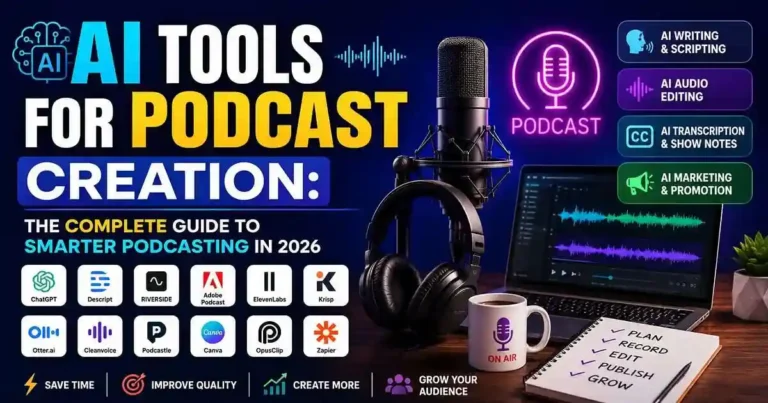
Introduction
You have come up with an excellent concept for your podcast episode, but producing one can easily take you a few hours. Drafting a script, getting rid of background noises, editing audio, preparing show notes, and marketing the episode generally takes a couple of applications.
That is why more and more people turn to artificial intelligence applications for podcast production. They automatize tedious operations, leaving you more time to focus on what is really important – producing a compelling narrative and getting in touch with your audience.
In this article, we will reveal to you the top artificial intelligence podcast applications of 2026, how they work, and how to choose the right ones for you.
Table of Contents
- What Are AI Tools for Podcast Creation?
- Why Podcasters Are Using AI
- 15 Best AI Tools for Podcast Creation
- How to Choose the Right Tool
- Practical Podcast Workflow
- Common Mistakes to Avoid
- Frequently Asked Questions
- Conclusion
What Are AI Tools for Podcast Creation?
AI Tools for Podcast Creation are software platforms that use artificial intelligence to help with different stages of podcast production.
These tools can assist with:
- Episode planning
- Script writing
- Voice recording
- Noise reduction
- Audio editing
- Transcription
- Voice cloning
- Show notes
- Social media clips
- Publishing automation
Instead of replacing creativity, AI helps creators produce professional-quality podcasts more efficiently.
Why AI Is Changing Podcast Production
Podcasting once involved expensive software and tedious editing. But with the help of AI, now it is possible that high-quality podcasting can be cheap.
Following are some of the significant benefits of using AI in podcasts:
• Quick editing
• High-quality sound
• Automated transcription
• Summary writing with the help of AI
• Voice improvement
• Easy content repurposing
• Effective content creation
15 Best AI Tools for Podcast Creation
1. Descript
Best for: All-in-one podcast editing
Descript allows you to edit audio by editing text. Delete a sentence from the transcript, and it’s removed from the audio automatically.
Key Features
- AI transcription
- Text-based editing
- Overdub voice correction
- Screen recording
- Video editing
2. Adobe Podcast
Enhanced voice with AI technology, Adobe Podcast makes your recording as if done in the best professional studio.
Best for:
• Voice Enhancement
• Masking background noise
• Remote interviews
3. ElevenLabs
ElevenLabs creates highly realistic AI voices.
Ideal for:
- Podcast narration
- Audiobooks
- Voiceovers
- Multilingual content
4. Riverside
Riverside records high-quality remote interviews with separate audio and video tracks.
Useful for:
- Interview podcasts
- Video podcasts
- Guest conversations
5. Podcastle
Podcastle combines recording, editing, transcription, and AI voice tools in one platform.
Great for solo creators and beginners.
6. Cleanvoice AI
This tool automatically removes:
- Filler words
- Long pauses
- Background noise
- Mouth clicks
It saves hours of manual editing.
7. Krisp
Krisp specializes in AI-powered noise cancellation during live recordings and online interviews.
Perfect for remote podcasting.
8. Otter.ai
Otter automatically creates searchable transcripts and meeting notes.
Helpful for:
- Show notes
- Research
- Team collaboration
9. ChatGPT
ChatGPT assists with nearly every stage of podcast production.
You can use it for:
- Episode ideas
- Script writing
- Interview questions
- Titles
- Descriptions
- Social media captions
10. Claude AI
Claude is particularly effective for organizing long-form research and drafting conversational podcast scripts.
11. NotebookLM
NotebookLM helps creators organize research, summarize source materials, and generate talking points based on uploaded documents.
It’s especially useful for educational and interview-based podcasts.
12. Canva Magic Studio
Every podcast needs attractive visuals.
Canva AI helps create:
- Episode thumbnails
- Cover art
- Instagram posts
- YouTube graphics
13. OpusClip
Repurpose long podcast videos into engaging short clips for platforms like YouTube Shorts, Instagram Reels, and TikTok.
14. Buzzsprout AI
Buzzsprout includes AI-powered features that generate episode titles, descriptions, and optimized show notes.
This simplifies publishing while improving discoverability.
15. Zapier AI
Automation becomes easier with Zapier.
Example workflow:
Record episode → Upload to hosting platform → Publish → Share on social media → Add to email newsletter automatically.
How to Choose the Right AI Tool
It is not necessary for all podcasters to use every single AI platform.
Select what suits your process.
Goal Recomended Tools
Script Writing ChatGPT, Claude
Recording Riverside, Podcastle
Audio Cleanup Adobe Podcast, Krisp, Cleanvoice
Editing Descript
AI Voice ElevenLabs
Transcription Otter.ai
Graphics Canva
Publishing Buzzsprout AI
Automation Zapier
Begin by using just one or two tools which will address your major problems in production.
Practical Podcast Workflow
The following may be the process of making Podcast Using AI:
Step 1
Episodes creation using ChatGPT.
Step 2
Research of topics using NotebookLM.
Step 3
Scripting for dialogue.
Step 4
Interviews using Riverside.
Step 5
Audio editing using Adobe Podcast.
Step 6
Podcast episodes editing using Descript.
Step 7
Interview transcription using Otter.ai.
Step 8
Podcast artwork creation using Canva.
Step 9
Podcast publication using Buzzsprout.
Step 10
Podcast promotion using Zapier.
This process does not reduce the creative aspect of the task.
Practical Example
Let’s consider a scenario of starting a weekly personal finance podcast.
Whereas you used to spend 6 to 8 hours on editing each episode, you can now:
• Have an outline prepared for you with ChatGPT.
• Use Riverside for recording.
• Process your audio in Adobe Podcast.
• Edit the material in Descript.
• Use Buzzsprout AI for generating the show notes.
• Create promotional images using Canva.
• Automate social media posting using Zapier.
Common Mistakes to Avoid
Don’t overly depend on automation while being creative.
Don’t do these mistakes:
• Posting AI script without editing.
• Ignoring audio quality.
• Not doing any fact-checking.
• Employing robotic voices by using AI without personalizing.
• Missing the proofreading step for transcripts.
• Not optimizing your episode title and description.
• Releasing episodes without even promoting.
The aim of automation is to boost your creativity and not to ruin it.
Frequently Asked Questions
1. What are the best AI tools that will be used to create a podcast?
The best AI tools that will enable you to create your podcasts include Descript, Adobe Podcast, ElevenLabs, Riverside, and ChatGPT.
2. Will these AI tools auto-edit the podcasts?
Yes. It will be possible for you to use several AI tools in the automatic editing of your podcasts.
3. Are these AI tools for podcasts beginner-friendly?
Yes. Absolutely!
4. Can AI make a script for a podcast?
Yes. Using an AI writer, you can benefit from their services to prepare outlines, questions, format of the episodes, as well as the initial draft of the episode that you will edit.
5. Can AI take the place of the host of a podcast?
No. Even though AI is capable of completing all the technical tasks, it is the human element which brings the story alive.
Conclusion
Podcasting AI Tools have changed how podcasts are planned, recorded, edited, and published. From scripts to sound improvement, to transcription and automation of promotion, these AI tools could make the whole process faster and even improve its quality.
To achieve the best outcomes, you need to merge your skills with the capabilities of AI technology. You do not need to try all possible platforms; just choose some proven AI tools and develop a system for yourself.








Your comment will appear immediately after submission.