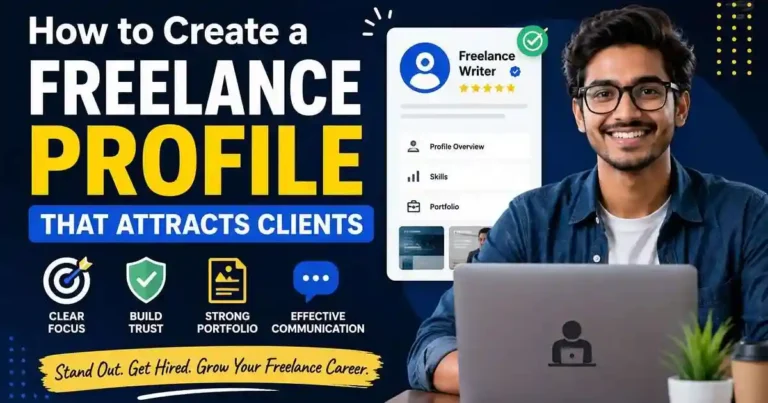
Your freelance profile is often your first impression.
Before clients message you, schedule a call, or send work, they usually look at your profile and make a quick decision:
“Does this person look trustworthy and capable?”
That decision can happen in seconds.
Many beginners believe they lose opportunities because they lack experience. In reality, weak profiles often create the bigger problem.
A strong freelance profile does not need years of experience, dozens of reviews, or expensive branding. It needs clarity, proof, and professionalism.
This guide explains how to build a freelance profile that attracts clients—even if you are just starting.
Why Your Freelance Profile Matters
Clients do not know you personally.
They judge based on what they can see:
- Profile photo
- Headline
- Description
- Portfolio
- Communication
- Examples of work
A confusing profile creates doubt.
A clear profile builds confidence.
Your goal is not to impress everyone.
Your goal is helping the right client quickly understand why they should contact you.
Step 1: Choose One Clear Service
One of the biggest profile mistakes is trying to offer everything.
Example of a weak profile:
I do content writing, graphic design, video editing, social media, SEO, and data entry.
Clients usually trust specialists more than generalists.
Instead, choose one main service.
Examples:
- SEO Content Writer
- Social Media Manager
- Video Editor
- Graphic Designer
- Virtual Assistant
- Website Designer
You can expand later.
At the beginning, clarity wins.
Step 2: Write a Headline That Explains Value
Your headline should answer:
What do you do + who do you help + result
Weak headline:
Freelancer | Available for Work
Better headline:
Blog Writer Helping Small Businesses Publish Useful Content
Another example:
Video Editor Creating Short-Form Content for Online Creators
Keep it specific.
Avoid words like:
- Hardworking
- Passionate
- Dedicated
- Fast learner
Clients expect those qualities already.
Step 3: Use a Professional Profile Photo
You do not need a studio photo.
But avoid:
- Heavy filters
- Group photos
- Blurry images
- Gaming avatars
- Distracting backgrounds
A simple photo works best:
- Good lighting
- Neutral background
- Natural expression
- Clear face visibility
People hire people.
Professional presentation helps.
Step 4: Write a Client-Focused Description
Many beginners write only about themselves.
Example:
I am motivated and love freelancing.
Clients care more about outcomes.
Try this structure:
Introduction
State your service.
What You Help With
Explain problems you solve.
Why Work With You
Mention your process or strengths.
Call to Action
Invite conversation.
Example:
“I help businesses create clear and engaging blog content. My focus is delivering organized, well-researched work with reliable communication.”
Keep it easy to scan.
Short paragraphs work better.
Step 5: Build a Portfolio—Even Without Clients
No experience does not mean no portfolio.
Create sample projects.
Examples:
Writers
- Blog articles
- Website pages
Designers
- Social graphics
- Branding samples
Editors
- Demo edits
SEO Beginners
- Content audits
- Sample keyword plans
Show quality over quantity.
Five good examples are enough to start.
Step 6: Show Results When Possible
Clients like outcomes.
Instead of:
Created social media content
Try:
Designed content calendars focused on consistent publishing
Instead of:
Edited videos
Try:
Edited videos for better retention and cleaner storytelling
Results sound more professional than task lists.
Step 7: Add Relevant Skills Only
Do not fill your profile with unrelated skills.
Too many skills can reduce trust.
Example:
If you are a writer:
Good:
- Content Writing
- SEO Writing
- Research
Less useful:
- Data Entry
- Graphic Design
- Video Editing
Your profile should support one clear direction.
Step 8: Make Your Portfolio Easy to Read
Clients often scan quickly.
Organize work clearly:
Project Name
Short description
Goal
Result
Keep formatting simple.
Remove old work that no longer represents your level.
Step 9: Improve Communication Signals
Clients notice professionalism before hiring.
Profile details that help:
- Fast replies
- Clear language
- Updated information
- Organized sections
You do not need perfect English.
You need understandable communication.
Step 10: Keep Updating Your Profile
Treat your profile like a living asset.
Review monthly:
- Update portfolio
- Improve descriptions
- Add better samples
- Remove weak sections
Small improvements create stronger first impressions over time.
Common Profile Mistakes Beginners Make
- Writing long life stories
- Using generic headlines
- Offering too many services
- Uploading weak samples
- Avoid these:
- Copying other profiles
- Ignoring profile updates
Simple and clear usually performs better.
Quick Profile Checklist
Before publishing, check:
✓ One main service
✓ Clear headline
✓ Professional photo
✓ Short description
✓ Portfolio samples
✓ Relevant skills
✓ Easy-to-read formatting
If someone visits your profile for 30 seconds, they should understand what you do.
Final Thoughts
A freelance profile does not attract clients because it looks impressive.
It attracts clients because it reduces uncertainty.
Clients want to know:
Can this person do the work?
Can they communicate clearly?
Can I trust them?
Answer those questions through your profile and your chances of getting noticed improve significantly.
Start simple.
Improve over time.
Your profile does not need to be perfect before you begin.

Your comment will appear immediately after submission.